YouTube Shorts Links Not Getting Clicks? Here's Why
You just published a YouTube Short. The video is getting views, people are watching, and maybe a few are even asking where they can find the product, website, or resource you mentioned. So you drop a URL in the description or pin it in the comments, expecting traffic to roll in.
- The Frustrating Reality of External Links on YouTube Shorts
- Your Viewers Are Interested, But the Next Action Is Too Difficult
- Stop Treating Every YouTube Link the Same Way
- Where a Shorter URL Actually Makes a Difference
- Build a Viewer Journey That Doesn't Depend on One Click
- Stop Losing Interested Viewers After the Video Ends
Except... nothing happens.
The link is sitting right there, but viewers can't tap it. Your audience is interested, your content is doing its job, yet the journey from watching a 30-second video to visiting your website feels like an obstacle course.
Welcome to one of the most frustrating parts of growing a YouTube Shorts channel.
If you're a creator, affiliate marketer, or business owner using short-form videos to attract customers, understanding how YouTube handles external links can make a real difference. The good news? You don't need to abandon Shorts or sacrifice your traffic strategy. You just need a smarter way to connect the dots.
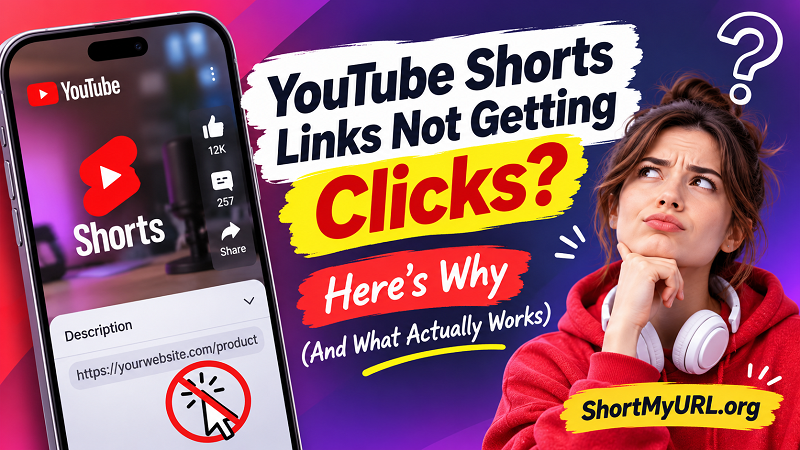
The Frustrating Reality of External Links on YouTube Shorts
Here's something many creators discover the hard way: YouTube doesn't treat every URL on its platform equally.
To reduce spam and scam attempts, YouTube makes URLs placed in Shorts descriptions and Shorts comments non-clickable. That means even if you paste a perfectly valid website address, viewers generally cannot simply tap it and land on your page.
And yes, pinning the comment doesn't magically fix the problem.
This creates a strange situation. Your Short can introduce a product, demonstrate a useful tool, or recommend a service, but the most obvious place to put the destination URL isn't actually a working traffic source.
It's important to understand the difference between Shorts and regular YouTube videos. External URLs in long-form video descriptions and comments can be clickable when the channel has access to the required advanced features. Shorts descriptions and comments follow a different rule.
YouTube does provide other ways to connect viewers with content:
- Channel profile links: Creators can showcase external destinations on their channel profile, with up to 14 links available.
- Related video links: A Short can direct viewers to another video, Short, or livestream on the same channel.
- Eligible brand deal links: Certain sponsored Shorts can include an external brand link through YouTube's brand deal features.
- YouTube Shopping: Eligible creators can use supported shopping and affiliate features to showcase products.
The takeaway? Don't build your entire traffic strategy around a URL in a Shorts comment. That door is closed for ordinary external links, so it's time to use the doors YouTube actually provides.
Your Viewers Are Interested, But the Next Action Is Too Difficult
Let's look at what happens after someone watches your video.
Imagine you're an affiliate creator promoting a wireless microphone. Your Short shows the microphone in action, demonstrates its sound quality, and ends with a simple message: "Check out the link below!"
Someone watching on their phone likes what they see. They're ready to learn more, maybe even make a purchase.
Then they open the description.
No clickable link.
They check the comments.
Still no clickable link.
Now they have to figure out where else to go. Maybe they visit your channel profile, search for the right destination, or simply move on to the next video.
That's a lot of friction for someone who was interested just a few seconds ago.
This is where creators often misunderstand the relationship between views and conversions. A high view count doesn't automatically mean people are ready to visit your website. Every additional action creates another opportunity for viewers to lose interest.
The problem becomes even more noticeable in different creator scenarios:
For affiliate marketers: Viewers want to check product prices, specifications, and reviews. If reaching the product page takes too much effort, they may never complete the journey.
For online sellers: A Short can showcase a new product beautifully, but potential customers still need a convenient route to the store or product catalog.
For educators and tutorial creators: Someone watching a quick tip may want to download a template, read a detailed guide, or access additional learning materials.
For business owners: A promotional video might generate attention, but attention without a clear next destination doesn't necessarily generate leads.
Your video might be doing an excellent job. The weak spot could simply be what happens after the viewer decides to take action.
Stop Treating Every YouTube Link the Same Way
Not every link needs to lead directly to an external website. In fact, trying to push every viewer toward an outside destination can make your content strategy less effective.
Think about the actual goal behind each video.
If you're publishing a teaser for a longer tutorial, sending viewers to a related YouTube video makes more sense than asking them to leave the platform. You can use the Related Video feature to connect the Short with the full tutorial.
If you're building a personal brand, your channel profile can act as a central destination. Put your most important website, store, portfolio, or landing page there. Keep the first link focused on the action you want viewers to take most often.
If you're promoting products through YouTube Shopping, use the shopping features available to your channel rather than forcing every viewer through an unrelated external link.
And if you're directing people to resources outside YouTube, give them a clear destination and a simple reason to visit it.
For example, instead of saying "Find more information somewhere in my profile," try something more specific:
- "Visit my profile and check out the free editing template."
- "The full product collection is linked on my channel."
- "Want the complete tutorial? Watch the related video."
Specific instructions are easier to follow than vague calls to action.
Your audience shouldn't have to solve a mystery just to find the thing you promised them.
Where a Shorter URL Actually Makes a Difference
Even though YouTube restricts clickable external URLs in Shorts descriptions and comments, that doesn't mean shorter links have lost their value.
Quite the opposite. They can still make your broader content distribution strategy much cleaner.
Consider a creator who promotes the same product across YouTube Shorts, Instagram Reels, TikTok, Facebook, and email newsletters. Each platform has different linking capabilities, and viewers interact with content in different ways.
A long URL filled with tracking parameters is difficult to remember, awkward to display on screen, and not particularly attractive in promotional materials.
A shorter, cleaner address is easier to communicate and recognize.
For instance, imagine displaying a long product URL containing multiple tracking parameters in a video. It looks cluttered, takes up valuable screen space, and is difficult to type manually.
Now compare that with a short, readable URL that takes viewers to the same destination. Much cleaner, right?
A reliable short url generator can help creators transform lengthy website addresses into compact links that are easier to share across supported channels. You can also create custom aliases to make destinations more recognizable, depending on the availability of your preferred name.
Here are a few situations where this approach makes practical sense:
- Video overlays: Display a short, memorable URL when you want viewers to visit a destination manually.
- Channel promotions: Use a clean destination when sharing links through your profile or other supported placements.
- Cross-platform campaigns: Keep promotional links consistent across social media, newsletters, and marketing materials.
- Offline promotions: Include compact URLs in product packaging, printed materials, or QR code campaigns.
One important distinction: shortening a URL does not override YouTube's linking restrictions. A shortened URL placed in a Shorts description or comment remains non-clickable. It also doesn't guarantee that viewers will manually type the address.
The goal isn't to find a workaround for platform restrictions. It's to make every legitimate sharing opportunity easier for your audience.
Build a Viewer Journey That Doesn't Depend on One Click
Here's a better way to think about YouTube Shorts: the video is the beginning of the customer journey, not necessarily the final destination.
A successful creator doesn't just ask, "How many people watched my video?"
They also ask, "What should an interested viewer do next?"
That question changes how you design your content.
Imagine you're promoting a digital product through a series of Shorts. Instead of cramming every possible destination into every video, create a simple path:
The video creates interest. Show the problem your product solves. Demonstrate the result, answer a common question, or give viewers a reason to learn more.
The channel provides direction. Make your profile easy to understand. Use a recognizable channel identity and organize your most important external destinations so viewers don't have to guess.
The destination delivers on the promise. If your video promises a free template, don't send viewers to a generic homepage where they must search for it. Take them to the actual template page whenever possible.
The experience encourages the next action. Whether the goal is a purchase, download, newsletter subscription, or another video view, make the next step obvious.
This approach also helps you understand why certain Shorts generate attention but fail to produce meaningful results. Sometimes the video isn't the problem. The destination is confusing, the offer isn't relevant, or the transition between platforms requires too much effort.
A simple customer journey can outperform a complicated collection of promotional links.
And don't forget to measure what matters. Views and likes tell you how people interact with your content, but website visits, sign-ups, and purchases tell you whether your traffic strategy is delivering business value.
Stop Losing Interested Viewers After the Video Ends
YouTube Shorts can put your content in front of a massive audience, but getting attention is only half the battle. If people can't easily find what you're promoting, those views may never translate into website traffic, leads, or sales.
The solution isn't to paste more URLs into comments or repeat the same call to action in every video. It's to understand how each platform works, choose the right destination, and remove unnecessary friction from the viewer journey.
Use YouTube's built-in linking features where they make sense. Keep your external destinations organized. Make URLs easier to share across other channels, and ensure every landing page delivers exactly what your video promises.
Because at the end of the day, a great Short shouldn't leave interested viewers wondering where to go next.
More views are great. More meaningful actions are even better.