The 10-Second Link Test: Check Every URL Before Sharing
You've spent hours creating the perfect social media post. The headline is sharp, the visuals look fantastic, and the call to action is ready to pull in clicks. You hit Publish, share it across your channels, and move on to the next task. There's just one tiny problem: the link doesn't take people where it's supposed to.
- A URL Can Be Technically Alive but Still Completely Wrong
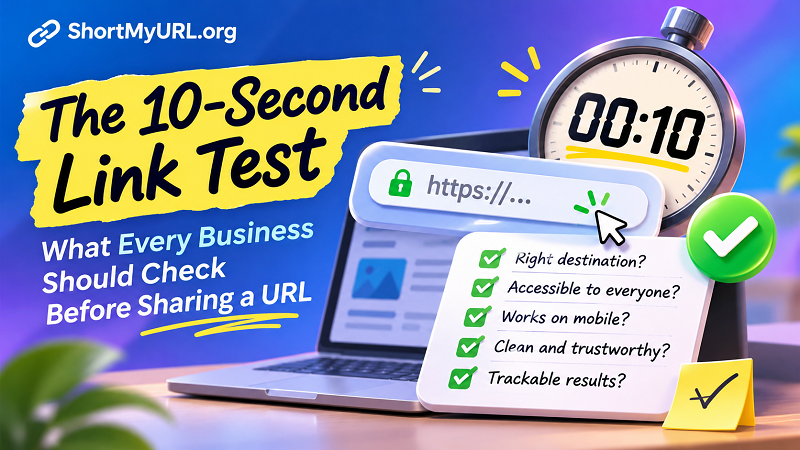
- Five Questions Every Business Should Ask Before Sharing a Link
- 1. Does the Destination Match Your Promise?
- 2. Can Someone Outside Your Organization Access It?
- 3. Does It Behave Properly on a Smartphone?
- 4. Is the URL Clean, Trustworthy, and Easy to Share?
- 5. Can You Measure What Happens After the Click?
- The Hidden Business Cost of One Careless Link
- Turn Link Verification Into a Habit, Not an Emergency Task
- Ten Seconds Now Can Save Hours Later
Maybe it leads to an outdated product page. Perhaps visitors land on a login screen they can't get past. Or worse, the URL works perfectly on your computer but sends mobile users into a frustrating maze of redirects.
It's an incredibly avoidable mistake, yet businesses make it all the time. A link might look harmless sitting inside a marketing campaign, but it's the final bridge between your message and your audience. If that bridge collapses, everything built around it loses value.
The good news? You don't need a complicated testing platform or a technical team to catch most link-related problems. You just need ten seconds, a little attention, and a habit worth building.
A URL Can Be Technically Alive but Still Completely Wrong
Here's something worth remembering: a working URL isn't automatically a good URL.
When you click a link and a webpage loads, it's tempting to assume everything is fine. But successful loading only tells you that a destination responded. It doesn't guarantee that the page is relevant, accessible, accurate, or ready for your audience.
Imagine running a Facebook campaign promoting a special discount. Your advertisement promises 20% off, but the destination page displays regular prices because the promotional landing page was replaced yesterday. Technically, the link works. Commercially, it's a disaster.
The same issue appears in everyday business communication. An employee shares a document link that requires internal permissions. A newsletter points to a product that has already been discontinued. A QR code printed on thousands of flyers directs customers to a page that no longer exists.
These aren't necessarily broken links in the traditional sense. They're broken experiences.
That's why link verification should go beyond asking, "Does this URL open?" The better question is, "Does this URL deliver exactly what the person clicking it expects?"
Five Questions Every Business Should Ask Before Sharing a Link
Forget complicated technical audits for a moment. Before publishing a URL, run through these five questions. They're simple enough to become part of your everyday workflow, whether you're managing a small business, running marketing campaigns, or simply sharing information with customers.
1. Does the Destination Match Your Promise?
This is the most important test, and surprisingly, one of the easiest to overlook.
Your message creates an expectation. If your post says "Explore our new collection," visitors should land directly on that collection, not your homepage. If an email promotes a specific service, the destination should explain that service rather than forcing readers to hunt through an entire website.
Every additional step creates friction. People rarely enjoy playing detective just to find what an advertisement promised them.
Open the link and look at the destination from your audience's perspective. Is the relevant information immediately visible? Does the page match the headline, offer, or call to action? Can visitors take the next step without unnecessary navigation?
If the answer is no, the URL needs another look.
2. Can Someone Outside Your Organization Access It?
A link that works for you might be completely useless to everyone else.
This happens frequently with shared documents, cloud storage, private dashboards, and internal business resources. You're already logged in, so everything appears normal. But customers, partners, or colleagues outside your organization might encounter a permission request instead.
The problem is especially common when sharing Google Docs, spreadsheets, presentation files, and downloadable resources.
Before distributing a link, consider who will receive it and whether they have the necessary access. For public-facing content, test the URL in a private browsing window or another browser where you're not signed into your usual accounts.
If the destination requires authentication, make sure that's intentional. Nobody wants to click a supposedly public resource only to be greeted by an unexpected access-denied message.
3. Does It Behave Properly on a Smartphone?
Your desktop browser isn't the entire internet. In fact, for many businesses, a significant portion of their audience discovers content and clicks links directly from mobile devices.
A URL can behave differently depending on the device, browser, installed applications, and operating system. Some links automatically open an app. Others trigger browser redirects or display pages that aren't optimized for smaller screens.
Think about a customer clicking a promotional link while scrolling through Instagram or reading an email on their phone. They expect a smooth transition, not a page that takes forever to load or requires endless zooming.
You don't need to test every possible device combination before sharing an ordinary link. But checking the destination on at least one smartphone is a smart move for important campaigns.
Pay attention to loading speed, readability, navigation, and whether the primary call to action remains easy to find.
4. Is the URL Clean, Trustworthy, and Easy to Share?
Let's be honest: some URLs look like they were assembled during a particularly chaotic afternoon.
Long tracking parameters, random characters, session identifiers, and unnecessary query strings can make a link difficult to read and unpleasant to share. While long URLs aren't automatically dangerous, they can look messy in social posts, printed materials, emails, and messaging applications.
A cleaner URL makes communication easier. It also gives businesses more control over how links appear across different marketing channels.
For example, instead of distributing an excessively long tracking URL, you can use a URL shortener to create a more compact link. Tools that let you customize aliases can make links easier to recognize, while click analytics can help you understand how audiences interact with shared content.
If you're looking for a simpler way to manage this process, the phrase shorten my url is a useful starting point when exploring link-shortening solutions.
One important distinction: shortening a URL doesn't automatically make its destination safer or more reliable. Always verify the original destination before sharing the shortened version. A neat-looking link is no substitute for a trustworthy landing page.
5. Can You Measure What Happens After the Click?
A link might successfully deliver visitors to your website, but what happens next?
For marketing teams, a click is only one piece of the puzzle. You also need to understand which campaign generated the traffic, which channel brought visitors in, and whether those visitors completed the intended action.
Consider sharing the same promotion through Facebook, email newsletters, and printed QR codes. If every channel uses an indistinguishable URL, identifying the source of traffic can become unnecessarily complicated.
This is where campaign tracking becomes valuable.
UTM parameters allow marketers to attach source, medium, and campaign information to URLs. Analytics platforms can then use these parameters to help identify where traffic originates.
Link-shortening platforms with analytics can provide another layer of visibility, depending on their features and tracking methods. You may be able to review click counts and other engagement information without manually inspecting every destination.
The key is to decide what you want to measure before distributing the link. Otherwise, you might end up with plenty of clicks and very little useful information.
The Hidden Business Cost of One Careless Link
A single incorrect URL might seem insignificant. After all, you can always correct it, right?
Sometimes, yes. But the consequences can extend much further than the time required to replace a link.
Consider a paid advertising campaign that runs for several hours with an incorrect destination. Every click costs money, but visitors leave because the landing page doesn't contain the promised offer. You're paying to send potential customers into a dead end.
Now imagine the same mistake appearing in a printed brochure, product package, business card, or event banner. Unlike a social media post, printed materials aren't always easy to update. A simple oversight can remain visible long after the original campaign has ended.
There's also the trust factor. Customers don't necessarily distinguish between a technical issue, an outdated page, or a careless marketing mistake. They simply experience a business that failed to deliver what it promised.
Over time, these small moments of friction can influence how people perceive a brand. A professional-looking campaign deserves a destination that feels equally professional.
Turn Link Verification Into a Habit, Not an Emergency Task
The easiest way to avoid link-related mistakes is to stop treating verification as something you do only after a problem appears.
Instead, make it a standard part of publishing.
Before a social media post goes live, the person responsible for publishing should open the destination and confirm that it matches the content. Before an email campaign is sent, test its important links. Before printing QR codes, scan them using a smartphone and verify the destination.
For larger teams, assigning link verification to a specific person can prevent the familiar situation where everyone assumes someone else has already checked everything.
It also helps to maintain a simple record of important campaign URLs. Keep track of their destinations, intended purposes, publication channels, and expiration dates where relevant. This becomes particularly useful when multiple people manage marketing activities or when campaigns run across several platforms.
For high-value campaigns, consider going beyond a quick manual check. Automated link monitoring, analytics platforms, and periodic destination reviews can help identify problems that appear after publication.
The objective isn't to turn every marketing task into a technical inspection. It's to catch preventable mistakes before they reach customers.
Ten Seconds Now Can Save Hours Later
A good marketing campaign doesn't end when someone clicks your call to action. That's where the actual customer experience begins.
Every URL you distribute represents a small promise: click here, and you'll find something useful. Whether that means a product, a service, a document, a promotion, or simply more information, the destination needs to deliver.
So before your next post, email, advertisement, or QR code goes public, take a moment to test the link. Check the destination, confirm accessibility, consider the mobile experience, review the URL, and make sure you're measuring what matters.
Ten seconds might not sound like much. But when those ten seconds prevent wasted advertising spend, frustrated visitors, and missed opportunities, it's probably one of the easiest investments your business can make.