Why Your Shared Link Can Be a Bad Link
You click the link. The page loads. Everything looks normal. So you copy the URL, send it to someone, and forget about it. Seems perfectly reasonable, right? Not always. A link can work exactly as intended and still be surprisingly inconvenient for the person receiving it. The difference becomes obvious when that URL leaves your browser and enters a text message, email, presentation, document, social post, printed flyer, or customer conversation. Suddenly, a perfectly functional web address can become a long string of folders, numbers, parameters, symbols, and characters that nobody really wants to deal with.
- “It works” is only the beginning
- Why useful pages often come with ugly URLs
- The awkward moments usually happen after you copy the link
- Don't shorten everything just because you can
- What makes a shared link actually useful?
- When a free URL shortener makes sense
- Give your links the 20-second reality check
- The shortest link isn't always the best link
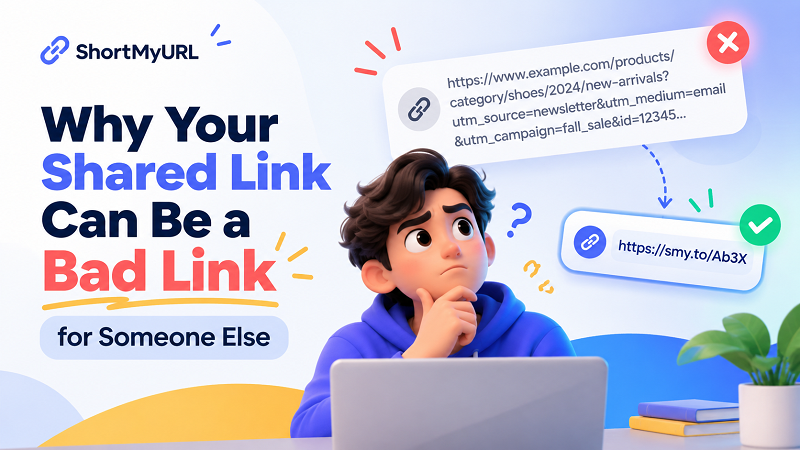
“It works” is only the beginning
Most people test a link in the simplest possible way: click it and see whether the correct page opens. If it does, the job is considered finished. But the person receiving that link may have a completely different experience. They could be viewing it on a phone, copying it between apps, trying to type it from a printed document, or simply attempting to understand where the link is supposed to take them before clicking. A URL that looks harmless inside a browser can become awkward once it has to be handled by an actual human being.
That is the part people often overlook. A URL has a technical purpose: identify a destination and help a browser reach it. A shared link has a practical purpose too: make the handoff from one person to another as painless as possible. Those two goals overlap, but they aren't identical. A technically valid URL can therefore be a poor sharing format without anything actually being wrong with the website behind it.
Why useful pages often come with ugly URLs
Long URLs don't necessarily mean a website has been badly designed. Modern websites generate addresses for plenty of legitimate reasons. An online store might include product categories, product IDs, filters, variations, or other information. A content platform may create deeper URL structures as pages are organized. Search results, campaigns, referral systems, and other features can also add parameters to an address. The result can be a URL that works perfectly for the website while looking completely ridiculous when pasted into a conversation.
That's not really a problem until you need to share it. Imagine finding a useful product page and copying the address into a message. The original page might be excellent, but the URL could stretch across multiple lines and contain a collection of characters that tells the recipient almost nothing. On a desktop, that may not matter much. On a phone, inside a document, or on paper, the same URL suddenly becomes much less convenient.
The awkward moments usually happen after you copy the link
The first place a long URL becomes annoying is often mobile. When a link is several lines long, selecting the entire address can be more difficult than it sounds, particularly when the person needs to move it between applications. Copy and paste normally hides this problem, but not every sharing situation gives you a convenient clickable link.
Documents create another interesting problem. You might be preparing a presentation, PDF, proposal, instruction sheet, or internal document and need to include a URL that people can actually see. A long address can consume valuable space and make an otherwise clean page look cluttered. You can hide it behind descriptive anchor text when the document supports clickable hyperlinks, but there are situations where the actual URL needs to remain visible or where the recipient may need to type it manually.
Printed materials make the difference even more obvious. A URL that is easy to copy digitally may be a nightmare when printed on a poster, brochure, event card, product insert, or instruction sheet. Every unnecessary character creates another opportunity for someone to make a typo. At that point, the issue isn't whether the URL technically works. The issue is whether a real person can realistically use it.
There is also a less obvious problem: visual uncertainty. When someone receives a giant URL containing unfamiliar strings and parameters, they may have no idea what they are looking at. A long URL doesn't automatically look suspicious, and a short URL isn't automatically trustworthy, but excessive visual noise can make a link harder to understand at a glance. When you're sharing something important, clarity has value.
Don't shorten everything just because you can
This is where the conversation can easily go too far. A shorter URL isn't automatically a better URL, and there is no reason to shorten every address you encounter. If your original URL is already concise, descriptive, easy to read, and convenient to share, leaving it alone may be the smartest option. In fact, a clean descriptive URL can sometimes provide useful context that a shortened address cannot.
The better question isn't “Can I make this URL shorter?” Almost every sufficiently long URL can be made shorter somehow. The better question is “Would a shorter URL make this particular sharing situation easier?” That's a much more useful test. If the answer is no, don't change anything. If the answer is yes, then shortening the link becomes a practical choice rather than an automatic habit.
What makes a shared link actually useful?
A good shared link doesn't have to be tiny. It simply needs to create as little unnecessary friction as possible. Readability is a good starting point. If someone can glance at the address and understand what they're dealing with, that's helpful. Portability matters too: think about whether the URL remains convenient when copied into a chat, email, document, presentation, or mobile app.
Destination accuracy comes before appearance. There is little point creating a beautifully compact link if it sends people somewhere unexpected. The original destination should always be checked first. After that, consider the environment where the link will live. A URL shared privately with a colleague has different requirements from one printed on a poster or included in a message to hundreds of customers.
This is why there isn't one universal rule saying that short URLs are always better or long URLs are always bad. Context decides. The same address can be perfectly reasonable in one situation and unnecessarily awkward in another.
When a free URL shortener makes sense
For people who regularly deal with long or awkward addresses, a url shortener free can provide a simple way to create a more manageable version without changing the destination itself. The useful part isn't simply having fewer characters. It's being able to turn a URL that was designed primarily for a website or system into something that's easier to pass from one person to another.
That can be useful when sending links through messaging apps, adding them to presentations, sharing them with customers, placing them inside documents, or preparing materials where space is limited. Someone running a small business might need a cleaner link for a customer message. An event organizer might want a URL that is easier to include on promotional material. A regular internet user might simply want to send a complicated page without dropping an enormous block of text into a conversation.
The important distinction is that you're not “fixing” a broken URL. You're creating a more practical version for a particular sharing situation. The original address can continue to do its job in the background while the shorter version handles the human-facing side of the interaction.
Give your links the 20-second reality check
Before sending an important URL, stop looking at it as the person who created it and look at it as the person receiving it. Would you immediately understand what the link is for? Would copying it on a phone be easy? If someone had to type it from a printed page, how likely would they be to make a mistake? Does the address contain a huge amount of technical information that the recipient doesn't actually need to see? And most importantly, does it still lead exactly where you expect?
Those questions don't take long to answer, but they can prevent a surprisingly common mistake: optimizing a link for the system while ignoring the person using it. A browser doesn't care whether a URL looks elegant. A person might.
The shortest link isn't always the best link
There is a tendency online to treat URL length almost like a competition. Shorter sounds cleaner, cleaner sounds better, and therefore the shortest possible link must be the winner. But that's not really how useful links work. The purpose isn't to eliminate characters simply for the sake of eliminating characters. The purpose is to help someone move from one place to another without unnecessary friction.
Sometimes the original URL already does that perfectly. Keep it. Sometimes the destination is buried behind a complicated address that is technically valid but awkward to copy, type, display, or share. In that situation, a shorter version can make the entire experience smoother.
So the next time you're about to paste a giant URL into a message, don't immediately ask whether it's “too long.” Ask a better question: Will this be easy for the person on the other side to use?
That's the real test. A good link isn't necessarily the shortest link. It's the link that makes the next step feel effortless.