Why Does My URL Look Weird? What %20, %3F & %26 Mean
You copy a link, paste it somewhere else, and suddenly it looks like a tiny piece of computer code.
- A URL Can Look Strange and Still Work Perfectly
- So, What Does %20 Actually Mean?
- What About %3F and %26?
- Why Do URLs Get Encoded in the First Place?
- Why Does My URL Change After I Copy It?
- Don't Start Deleting Characters Just Because They Look Ugly
- A Better Test: Does the Link Actually Work?
- When a Complicated URL Really Is a Sharing Problem
- Short Doesn't Mean the Original URL Disappears
- What About +, =, and #?
- The Real Difference Between Ugly and Broken
- A Simple Rule for Handling Strange URLs
Instead of something familiar like example.com/search?q=coffee, you might see something like example.com/search?q=coffee%20shops%20near%20me. Then there are characters such as %3F, %26, +, =, and # appearing in places you don't remember putting them.
So... did something go wrong?
Usually, no.
Those strange-looking characters are often just the way a website, browser, or application represents certain characters inside a URL. They can look intimidating, but in many cases they're completely normal and necessary for the link to work correctly.
The important part isn't making every URL look pretty. It's knowing when those characters matter, when you should leave them alone, and when a long or complicated URL is genuinely worth cleaning up.
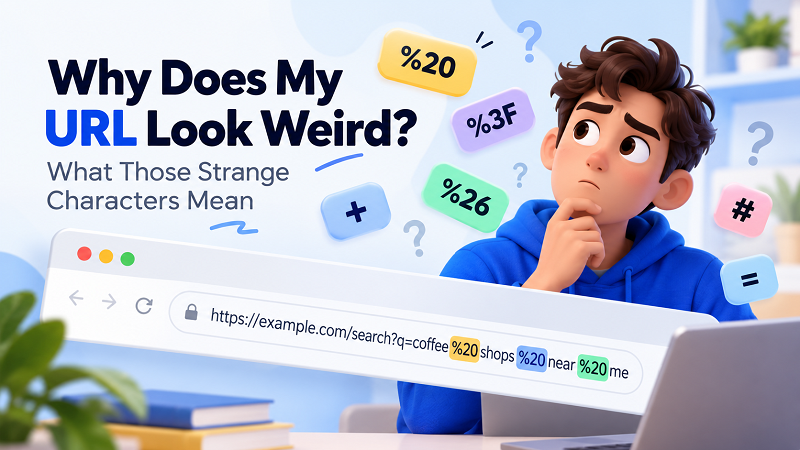
A URL Can Look Strange and Still Work Perfectly
One of the easiest mistakes to make is assuming that a URL is broken simply because it doesn't look human-friendly.
Consider this:
https://example.com/search?q=coffee%20shops
The %20 might look suspicious at first glance. But it usually represents a space.
In other words, the browser is essentially dealing with:
coffee shops
while the URL uses:
coffee%20shops
That's not a broken link. It's a representation of information that can safely travel inside a URL.
URLs have rules about which characters can appear directly and how certain characters should be represented. When a character needs special handling, it can be encoded into a format that uses a % followed by two hexadecimal characters.
Once you know that, %20 stops looking like some mysterious error message and starts looking more like what it actually is: encoded information.
So, What Does %20 Actually Mean?
%20 is one of the most common examples of URL encoding.
In many URLs, it represents a space.
For example:
https://example.com/search?q=red%20shoes
can represent a search for:
red shoes
You may encounter this frequently when a URL contains a search phrase, product name, article title, location, or other text containing spaces.
The interesting part is that you don't necessarily need to do anything about it. If the URL opens the correct page and behaves as expected, %20 is usually doing its job.
Trying to manually replace it with random characters can actually create a problem where none existed before.
What About %3F and %26?
These are two more characters that can make a URL look much more complicated than it really is.
%3F represents a question mark (?), while %26 represents an ampersand (&).
You might see something like:
https://example.com/page%3Fcategory%3Dcoffee
At first glance, that can look completely alien. But the encoded characters are simply another way of representing characters that have special meaning within URLs.
The same idea applies to %26.
Suppose a piece of information contains an ampersand as actual text rather than as a separator between URL parameters. Encoding can help distinguish the character's intended meaning.
This distinction matters because URL characters aren't all just decoration. Some have specific jobs.
For example, ? commonly introduces a query string, while & is commonly used to separate parameters within that query string. Changing them without understanding their role can change what the server receives.
Why Do URLs Get Encoded in the First Place?
Think of a URL as a very strict address system.
Humans are comfortable typing spaces, punctuation, symbols, and all kinds of messy text. Computers need clearer rules.
Imagine you're searching for:
best pizza & pasta
That phrase contains spaces and an ampersand. If every character could be inserted into a URL without any rules, it would become much harder for software to determine where one part of the address ends and another begins.
URL encoding provides a standardized way to represent characters that need special treatment.
That's why a browser might transform part of the information before sending or displaying it.
In other words, the weird-looking URL isn't necessarily the result of a website doing something badly. Sometimes it's the website and browser being precise.
Why Does My URL Change After I Copy It?
This is another common source of confusion.
You might copy a URL from your browser and notice that the version you paste somewhere else looks different. That doesn't automatically mean the destination has changed.
There are several possible reasons.
A website may add parameters to the URL. An application may encode characters during the copying or sharing process. A search page may build a URL based on the exact phrase you entered. A marketing link may also include additional information used to identify where a visit came from.
For example, a URL might contain parameters such as:
utm_source
utm_medium
utm_campaign
Those parameters can make a perfectly functional URL considerably longer.
This is why comparing two URLs character by character isn't always useful. The better question is: Do they lead to the same intended destination, and do the extra parameters serve a purpose?
Don't Start Deleting Characters Just Because They Look Ugly
This is where things can go sideways.
When people see %20, %3F, %26, or a long string of parameters, the natural reaction is often:
"I'll just remove that."
Not so fast.
A URL isn't a sentence that needs proofreading. Individual characters can carry meaning, identify parameters, specify a query, or help the destination page understand what the visitor requested.
Removing part of a URL might:
- change the search query;
- remove a filter;
- break a parameter;
- send you to a different page;
- cause the server to interpret the request incorrectly;
- or make the link stop working altogether.
If the URL works and takes you where you expect, there may be nothing to fix.
Aesthetics alone aren't a good reason to start editing URL syntax.
A Better Test: Does the Link Actually Work?
Instead of judging a URL by how strange it looks, test what it does.
Open it in your browser. Does it reach the expected page? Does the page load normally? Does the search or filter behave correctly? If the answer is yes, those strange characters may simply be part of the URL's normal structure.
If you're unsure, try opening the link in a private or incognito window. This can sometimes help distinguish a URL issue from something caused by an existing login session, cookies, or personalized browser state.
You can also compare the destination rather than obsessing over every character in the address bar.
A useful rule is simple:
Don't repair a URL that isn't broken.
When a Complicated URL Really Is a Sharing Problem
There is, however, a different situation worth paying attention to.
Sometimes a URL works perfectly but is simply ridiculous to share.
Maybe it stretches across half your screen. Maybe it contains several parameters that mean nothing to the person receiving it. Maybe you need to put it into a presentation, print it on a flyer, send it in a message, or tell someone the address verbally.
That's not necessarily a technical problem. It's a sharing problem.
And this is where shortening can make sense.
If the destination URL is valid but unnecessarily difficult to pass around, a link shortener can give you a much cleaner address while keeping the original destination behind the redirect.
The key distinction is important: you aren't “fixing” the original URL. You're making the URL easier for humans to use.
Short Doesn't Mean the Original URL Disappears
A shortened URL doesn't normally replace the original destination.
Think of it more like an alternate entrance.
Someone clicks the short address, the service processes the request, and the visitor is redirected to the original URL.
So you can have something like:
short.example/abc123
pointing toward a much longer destination containing search terms, parameters, or other information.
This can be useful when the original URL is technically fine but visually overwhelming.
It also means you don't need to manually strip %20, %3F, %26, or other encoded characters out of the original URL just to make it look cleaner.
What About +, =, and #?
You'll encounter plenty of other characters while working with URLs.
A plus sign (+) can sometimes be used to represent a space in certain query-string contexts. An equals sign (=) commonly separates a parameter name from its value, such as:
?category=coffee
A hash (#) introduces a fragment, which can point to a particular section of a page:
example.com/article#comments
These characters aren't interchangeable, and their meaning depends on where they appear.
That's why there isn't a universal “make this URL prettier” trick. A URL is structured information, not just a string of text.
The Real Difference Between Ugly and Broken
This is probably the most useful distinction to remember.
An ugly URL might be long, contain encoded characters, include several parameters, or simply look like something a developer would write at 2 a.m. with a large coffee beside the keyboard.
A broken URL doesn't take you to the intended destination or doesn't behave as expected.
Those are two very different problems.
A URL can be ugly but perfectly functional. Another URL can look beautifully simple and still be broken.
So don't judge the link by its appearance.
Judge it by what happens when someone clicks it.
A Simple Rule for Handling Strange URLs
The next time you see something like %20, %3F, or %26 in a URL, don't panic and don't immediately start deleting things.
First, open the link.
If it reaches the correct destination, the characters are probably serving a purpose. If the URL is simply too long or awkward to share, look for a solution designed for sharing, rather than manually rewriting the address.
And if you're curious about what a particular encoded character means, you can always decode that specific part instead of dismantling the entire URL.
The web is full of addresses that look messy behind the scenes. That's normal. What matters to the person clicking is whether the address gets them where they're supposed to go.
Sometimes the weird-looking URL is doing exactly what it was designed to do.