Why Does My Short Link Not Work? Common Problems to Check
You paste a URL into a shortener, click a button, get a neat little link, and assume the job is done.
- Start With the Destination, Not the Short Link
- “It Works for Me” Isn't the Same as “It Works”
- Watch What Happens During the Redirect
- Your Tracking Data May Be More Important Than the URL Itself
- A Short Link Can Work Perfectly and Still Feel Suspicious
- Don't Forget About Mobile
- A Quick Test Before You Send the Link to 1,000 People
- Choosing a Shortener Means Looking Beyond the Button
- The “Link Generator” Is Only One Part of the Process
- When a Short Link Fails, Follow the Chain
Then someone messages you: “The link doesn't work.”
Or worse, it works perfectly on your computer but sends someone else to the wrong page. Your campaign tracking disappears. A customer hesitates to click because the destination is impossible to recognize. Suddenly, that tiny URL has become a surprisingly large headache.
The good news is that a short link itself is rarely the whole problem. In many cases, the issue is somewhere between the original destination, the redirect, the browser, or the person clicking it. Understanding where things can go wrong makes troubleshooting much easier.
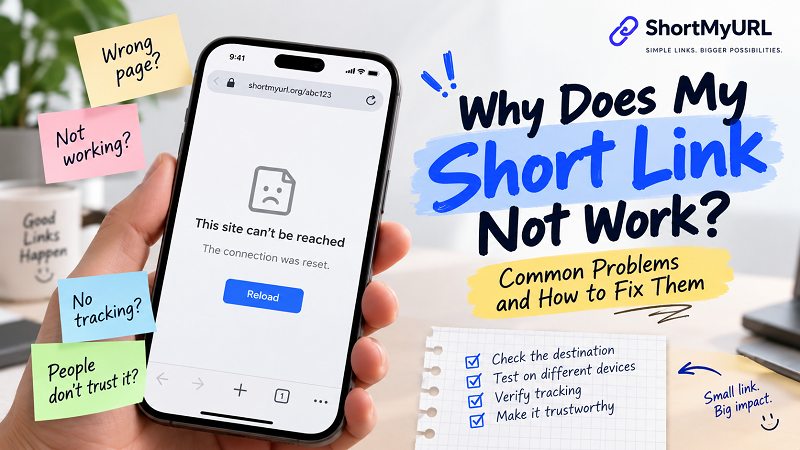
Start With the Destination, Not the Short Link
When a shortened URL fails, the first instinct is usually to blame the shortener. Before doing that, go back to the original URL.
Open the destination directly in a browser. Does it load? Does it open the page you actually intended to share? Does it still work when you're logged out? Does it behave correctly on a phone?
This matters because a short link doesn't replace the destination page. It simply provides another route to it.
Imagine you're sharing a product page that has since been removed. You can generate ten different short links pointing toward that page, but every one of them will ultimately lead somewhere that doesn't work.
The same thing can happen when a website changes its URL structure. An old product URL may redirect somewhere else, a campaign landing page may expire, or a temporary page may disappear entirely.
So the first troubleshooting question is surprisingly boring — and surprisingly useful:
Does the original URL still work?
“It Works for Me” Isn't the Same as “It Works”
This is one of the most common traps.
You click your short link. Everything looks perfect. You send it to somebody else, and they get an error.
That doesn't automatically mean the link is broken.
The destination might require an account. You may already be logged into the website, while the other person isn't. Some websites also behave differently depending on location, device, browser, or referral source.
A private dashboard is a good example. You can share a perfectly valid URL to it, but someone without permission isn't going to magically gain access just because the URL has been shortened.
The same principle applies to links that open apps, location-specific pages, or content restricted to certain users.
When troubleshooting, test the link from a perspective that resembles the person receiving it. An incognito window is often a quick way to eliminate some of the assumptions created by your existing browser session.
Watch What Happens During the Redirect
A shortened URL normally acts as a middle step:
Short URL → Redirect → Destination
That middle step is what makes the short link useful, but it also means there is another point where something can go wrong.
If you encounter an error, pay attention to what happens before the final page appears. Does the browser immediately redirect? Does it bounce through several addresses? Does it land on an unexpected page? Does the browser display a security warning?
One particularly messy setup is chaining shorteners:
Short link A → Short link B → Short link C → Destination
There is rarely a good reason to build a tiny maze like this. Every additional redirect introduces another dependency and another thing that could eventually change.
If you're shortening a URL, start with the original destination whenever possible rather than feeding an already shortened URL into another shortening service.
Your Tracking Data May Be More Important Than the URL Itself
For marketers, there's another problem that can be easy to miss: the link works, but the data doesn't.
Suppose your original address contains campaign information such as UTM parameters. Those parameters may tell your analytics platform where visitors came from, which campaign generated the click, or which piece of content drove the visit.
A shortened URL can still point toward that destination, but you should verify that the information you rely on survives the journey.
This is particularly important when creating links for:
- Email campaigns
- Paid advertising
- Social media campaigns
- Printed promotional materials
- Event-specific landing pages
- Influencer or partner campaigns
A customer reaching the right page is only half the story if your analytics platform can no longer identify where that visitor came from.
That's why a test click should sometimes include more than “Does the page open?”
Ask another question:
Did the click get attributed the way I expected?
A Short Link Can Work Perfectly and Still Feel Suspicious
Technical functionality isn't the only issue.
Imagine receiving two messages. One contains a familiar URL that clearly shows the company and page you're about to visit. The other contains a short address made up of an unfamiliar domain and a random string of characters.
Both may lead to the same destination. You might still hesitate before clicking the second one.
That's because shortening removes some of the information normally visible in a URL. The recipient can't always tell where the link leads just by looking at it.
This doesn't mean random short codes are inherently bad. They're perfectly practical for many situations. But public-facing links can benefit from some context.
A recognizable custom alias can make a link easier to understand:
example.com/summer-collection
becomes something like:
shortdomain.com/summer
The difference is tiny from a technical perspective. From a human perspective, it can make the link feel much less mysterious.
Don't Forget About Mobile
A link that behaves correctly on desktop isn't automatically guaranteed to provide the same experience on a phone.
This matters because a huge percentage of shared links are opened on mobile devices. The destination may have a mobile version, trigger an app, resize incorrectly, require a particular browser, or behave differently when accessed from a messaging application.
If you're distributing a short link through Instagram, WhatsApp, email, SMS, a printed QR code, or another mobile-heavy channel, test it on a phone before publishing it widely.
You don't need a complicated testing lab. A real phone and a few seconds of attention can reveal problems that your desktop browser never showed you.
A Quick Test Before You Send the Link to 1,000 People
You don't need a giant QA process for every URL. A simple routine is enough for most everyday links.
Open the short URL yourself. Confirm that the final page is correct. Then test it in a private browser window or another device. If the link belongs to a campaign, check the tracking information. If the destination requires an account, test it without relying on your existing login session.
For important public campaigns, take the extra step of asking someone else to click it. Fresh eyes can catch things that the person who created the link has unconsciously learned to ignore.
And keep the original destination URL. It is your reference point if something needs to be changed later.
Choosing a Shortener Means Looking Beyond the Button
The process of generating a short link may take only a few seconds, but the service behind that link can matter for much longer.
When comparing tools, consider what happens after the link is created. Can you customize the alias? Can you track clicks when you need to? Are generated links intended to remain available? Can you manage links later instead of creating a new one every time?
Transparency matters too. You should have a reasonable understanding of what the service does with the URL and what happens when someone clicks the generated address.
You don't necessarily need every advanced feature. In fact, adding features you don't need can make a simple task unnecessarily complicated.
The right tool is the one that fits the job.
The “Link Generator” Is Only One Part of the Process
Searching for a link generator short enough for everyday sharing is easy. The more important part is what you do after the link appears on your screen.
A generated URL should be treated as the beginning of the sharing process, not the end of it.
Check the destination. Test the redirect. Think about the person receiving the link. Verify your tracking when necessary. Test on the device people are actually going to use.
Those habits take very little time, but they dramatically reduce the chances of discovering a problem after a link has already been printed on 5,000 flyers or sent to an entire customer list.
When a Short Link Fails, Follow the Chain
Troubleshooting becomes much simpler when you stop looking at the short URL as one mysterious object.
Break it into pieces:
Can the original destination open?
If not, fix the destination.
Does the short URL redirect to the intended destination?
If not, investigate the generated link or redirect configuration.
Does the destination behave differently for another user or device?
If so, investigate permissions, device behavior, location restrictions, or the website itself.
Does tracking still work?
If not, check the parameters and attribution setup.
Would someone trust the link enough to click it?
If not, consider whether a more recognizable alias or clearer surrounding context would help.
A short link doesn't need to be complicated. It just needs to survive the journey from the person creating it to the person clicking it.
And that's the part worth testing.