What Is a URL Shortener? How It Works and When to Use One
Ever copied a ridiculously long web address and thought, “There has to be a better way”?
- What Is a URL Shortener?
- How Does a URL Shortener Work?
- 1. You enter your original URL
- 2. The service creates a short URL
- 3. Someone clicks the short URL
- Why Use a Short URL?
- Easier to Share
- Cleaner and Easier to Remember
- Better for Printed Materials
- Useful for Marketing
- What Is a Custom Short URL?
- Can You Track Clicks on a Short URL?
- When Should You Use a URL Shortener?
- Are Short URLs Permanent?
- Are Short URLs Safe?
- URL Shortener vs. Original URL
- How to Shorten a URL
- Final Thoughts
Yep. That’s exactly where a URL shortener comes in.
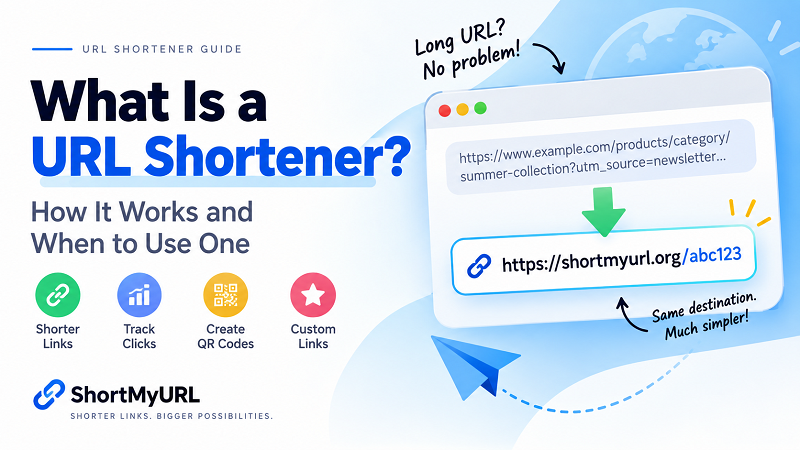
A URL shortener takes a long, complicated web address and turns it into a much shorter link that is easier to share, remember, and use.
Instead of sending someone a URL that looks like this:
https://www.example.com/products/category/summer-collection/product?id=849302&source=newsletter
you can turn it into something much cleaner:
https://shortmyurl.org/abc123
Same destination. Much less chaos.
But how does a URL shortener actually work, and when should you use one? Let's break it down.
What Is a URL Shortener?
A URL shortener is an online tool that converts a long URL into a shorter version.
The shortened URL contains a unique code or alias. When someone clicks the short link, the service recognizes that code and redirects the visitor to the original URL.
Think of it like giving your long URL a nickname.
The original address stays the same, but instead of sharing the entire thing, you share its shorter version.
URL shorteners are commonly used for social media, marketing campaigns, QR codes, messaging, printed materials, and anywhere a clean, compact link is useful.
How Does a URL Shortener Work?
The process is surprisingly simple.
When you create a shortened URL, the service generally does three things:
1. You enter your original URL
First, you paste the long web address into the URL shortener.
This could be a link to a product page, blog post, social profile, video, online store, or pretty much any publicly accessible webpage.
2. The service creates a short URL
The URL shortener generates a unique short code or alias and associates it with your original URL.
For example:
Original URL:
https://example.com/blog/how-to-create-a-website
Short URL:
https://shortmyurl.org/x7Kp2
The short URL doesn't replace the original page. It simply acts as a convenient path to it.
3. Someone clicks the short URL
When a visitor opens the shortened link, the service identifies the corresponding destination and redirects the visitor to the original webpage.
The whole process usually happens almost instantly.
In other words, the user doesn't need to know what is happening behind the scenes. They click the short link, and they end up where they're supposed to go.
Why Use a Short URL?
So, why bother shortening a URL in the first place?
Because long URLs can be a pain.
Here are some of the biggest reasons people use short links.
Easier to Share
A short URL is much easier to copy, paste, and send.
This is especially useful when sharing links through messaging apps, social media posts, emails, or online communities.
Nobody wants to send a link that takes up half the screen.
Cleaner and Easier to Remember
A shorter address simply looks better.
If you're sharing a link verbally, printing it on a flyer, or putting it somewhere people need to type it manually, a compact URL can be much more practical.
With a custom alias, it can be even easier to remember.
For example:
shortmyurl.org/summer-sale
is a lot easier to recognize than a long URL full of random parameters.
Better for Printed Materials
Long URLs aren't exactly poster-friendly.
If you're putting a link on a business card, flyer, menu, poster, packaging, or event sign, a shorter URL takes up less space and is easier for someone to type.
You can also pair a short URL with a QR code, giving people two easy ways to reach the same destination.
Useful for Marketing
Businesses and creators often use short links when promoting specific pages or campaigns.
A short URL can make promotional content look cleaner while making links easier to distribute across different channels.
Some URL shorteners also provide click analytics, allowing you to see how a link is performing.
What Is a Custom Short URL?
Not every short link has to look like a random string of characters.
Some URL shorteners let you create a custom alias.
For example, instead of:
shortmyurl.org/a8F92x
you could create something like:
shortmyurl.org/new-product
A custom alias can make the destination or purpose of the link immediately recognizable.
This can be especially useful for campaigns, promotions, events, social media profiles, or links that you plan to share repeatedly.
Just keep it short. Nobody needs a custom alias that's longer than the original URL.
Can You Track Clicks on a Short URL?
Some URL shorteners provide link analytics, which can show how people interact with your shortened links.
Depending on the service, analytics may include information such as:
- Number of clicks
- Click activity over time
- Referral sources
- Geographic information
- Device information
Analytics can be useful when you're sharing links as part of a marketing campaign or trying to understand how much traffic a particular link generates.
For casual sharing, you may not need analytics at all. But if you're managing multiple links, having that information can become surprisingly handy.
When Should You Use a URL Shortener?
There's no rule saying you need to shorten every URL you encounter.
Sometimes the original URL is perfectly fine.
A short URL becomes particularly useful when you need to:
- Share a long URL on social media
- Send a link through a messaging app
- Add a link to printed materials
- Create a QR code
- Make a link easier to remember
- Create a recognizable custom alias
- Track clicks on shared links
- Keep promotional content clean and compact
For example, imagine you're running a weekend promotion.
Your original product URL might contain a bunch of tracking parameters and look something like:
example.com/products/shoes?campaign=summer-sale&utm_source=facebook&utm_medium=social
Technically, there's nothing wrong with it.
But for sharing?
Not exactly beautiful.
A short URL gives you a cleaner alternative that's much easier to post, print, or send.
Are Short URLs Permanent?
That depends entirely on the URL shortening service you use.
Some services may impose expiration dates, limits, or account requirements. Others allow links to remain active as long as the service continues operating and the link isn't removed.
That's why it's worth checking the policies of the service you're using before relying on a shortened URL for something important.
If you're creating links that will appear on printed materials or long-term campaigns, link longevity matters.
A short URL that suddenly stops working isn't particularly useful.
Are Short URLs Safe?
A shortened URL isn't automatically safe or unsafe.
The important thing to remember is that a short link hides the full destination URL. That means you may not immediately know where the link will take you.
As with any link on the internet, be cautious when clicking URLs from unknown or untrusted sources.
For your own links, use a reputable URL shortening service and make sure the destination page is legitimate.
If you're sharing links publicly, it's also a good idea to make sure the destination is accurate and relevant to your audience.
URL Shortener vs. Original URL
So, should you use a short URL or just keep the original?
It depends on the situation.
Use the original URL when:
- The URL is already short and readable
- The full destination needs to be visible
- You're working in a context where URL transparency is important
Use a short URL when:
- The original URL is long or messy
- You need something easy to share
- You're printing the URL
- You want a custom alias
- You're using the link in a campaign
- You want click tracking
There's no universal winner here. The right choice depends on how and where you're sharing the link.
How to Shorten a URL
Ready to turn a long URL into a short one?
The process usually takes only a few seconds.
- Copy the URL you want to shorten.
- Open a URL shortening tool.
- Paste the URL into the input field.
- Create your short link.
- Copy the new URL and share it.
With ShortMyURL, you can shorten links quickly without needing to create an account just to generate a short URL.
If you want to keep your links organized and track their performance, creating an account can make link management easier.
You can also create custom aliases and generate QR codes for your shortened links.
[Shorten your URL with ShortMyURL →]
Final Thoughts
Long URLs aren't inherently bad. They just aren't always convenient.
When a web address gets buried under directories, parameters, tracking codes, and random characters, a URL shortener gives you a simpler way to share it.
A good short URL is easy to copy, easy to recognize, and easy to share.
Whether you're sending a link to a friend, promoting a product, posting on social media, or putting a URL on a printed flyer, sometimes shorter really is better.
And let's be honest — nobody misses the days of manually copying a URL that looks like an entire paragraph.