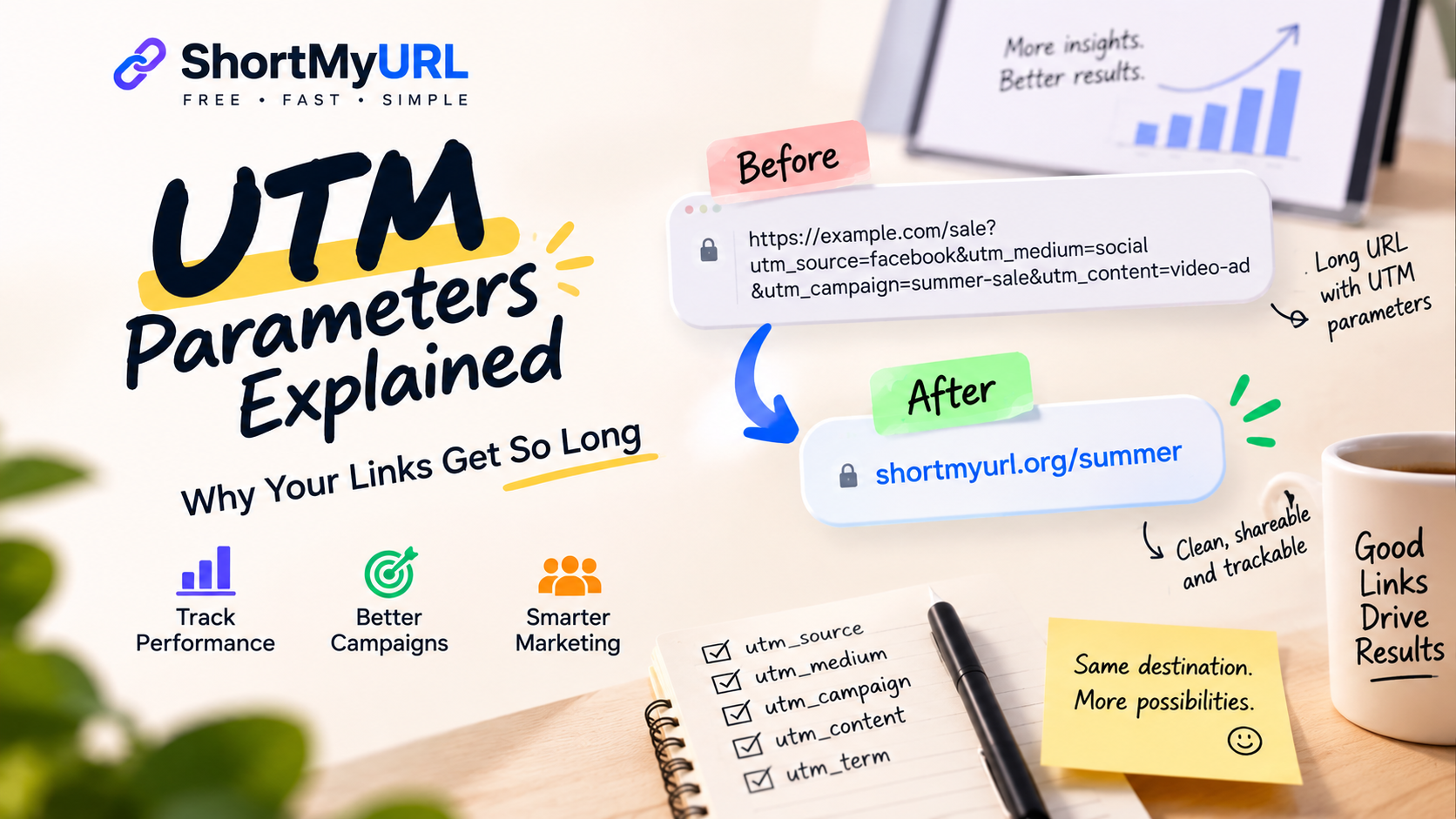
UTM Parameters Explained: Why Your Links Get So Long
Ever copied a link from a marketing campaign and wondered why it looked more like a sentence than a web address?
- What Are UTM Parameters?
- The Most Common UTM Parameters
- UTM Source
- UTM Medium
- UTM Campaign
- UTM Content
- UTM Term
- Why Do UTM Parameters Make URLs So Long?
- Should You Remove UTM Parameters to Make a URL Shorter?
- A Short Link Doesn't Mean You Lose the Destination
- Why Marketers Care About Cleaner Campaign Links
- Don't Turn Every UTM Parameter Into a Random String
- Be Careful With Personally Identifiable Information
- How Short Links Fit Into a Marketing Workflow
- When You Shouldn't Shorten a Campaign URL
- A Simple UTM Checklist
- Long URLs Aren't the Enemy
You might start with something simple like:
https://example.com/sale
Then add campaign tracking, and suddenly you have something closer to:
https://example.com/sale?utm_source=facebook&utm_medium=social&utm_campaign=summer-sale&utm_content=video-ad
Nothing is broken. In fact, those extra characters can be extremely useful.
They're called UTM parameters, and marketers use them to understand where website traffic comes from, which campaigns generate visits, and which channels are actually driving results.
The downside is obvious: tracking can make an otherwise clean URL surprisingly long.
Let's take a closer look at why that happens, what each UTM parameter does, and how you can keep campaign links manageable without giving up useful tracking information.
What Are UTM Parameters?
UTM parameters are pieces of information added to the end of a URL to help analytics platforms identify the source and context of incoming traffic.
UTM stands for Urchin Tracking Module, a naming convention that originated with Urchin, the analytics software that Google acquired before developing Google Analytics.
A typical tracked URL might look like this:
https://example.com/product?utm_source=newsletter&utm_medium=email&utm_campaign=summer-sale
The actual destination is still the same product page. The parameters simply provide additional information about how the visitor arrived there.
For marketers, that extra context can be valuable.
Instead of seeing traffic simply arrive at /product, analytics data can distinguish visits from an email campaign, a social post, a paid advertisement, or another marketing channel.
The Most Common UTM Parameters
There are several UTM parameters you may encounter, but five are particularly common.
UTM Source
utm_source identifies where the traffic originates.
Examples include:
- newsletter
- partner-site
A URL might therefore contain:
utm_source=linkedin
This tells your analytics platform that the visit came from a LinkedIn campaign or link.
UTM Medium
utm_medium describes the marketing channel.
Common examples include:
- social
- cpc
- affiliate
- referral
For example:
utm_medium=email
Together, source and medium provide more context than either one alone.
UTM Campaign
utm_campaign identifies the specific marketing campaign.
For example:
utm_campaign=summer-sale
This allows multiple traffic sources to be associated with the same campaign.
You might have separate links for Facebook, email, and paid search while using the same campaign name across all three.
UTM Content
utm_content is useful when you have multiple links or creative variations within the same campaign.
For example:
utm_content=blue-banner
and:
utm_content=product-video
can help distinguish which variation generated the visit.
UTM Term
utm_term is commonly associated with paid search and can be used to identify a particular keyword or targeting term.
For many everyday campaigns, you may not need to use every UTM parameter.
The important thing is to have a consistent naming system that your team can understand later.
Why Do UTM Parameters Make URLs So Long?
This part is pretty straightforward.
Every parameter adds more characters to the URL.
Start with:
example.com/pricing
Add a source:
example.com/pricing?utm_source=facebook
Add a medium:
example.com/pricing?utm_source=facebook&utm_medium=social
Add a campaign:
example.com/pricing?utm_source=facebook&utm_medium=social&utm_campaign=summer-sale
Add content:
example.com/pricing?utm_source=facebook&utm_medium=social&utm_campaign=summer-sale&utm_content=video-ad
The tracking information is useful, but the resulting URL isn't exactly something you'd want to put on a billboard.
This is the trade-off marketers have to deal with: more information for analytics often means more characters in the link.
Should You Remove UTM Parameters to Make a URL Shorter?
Usually, don't remove tracking parameters just because the URL looks ugly.
If those parameters are being used to measure campaign performance, deleting them can mean losing valuable attribution data.
For example, imagine you've created a newsletter campaign and added:
utm_source=newsletter
If you remove that parameter before sending the link, your analytics system may no longer be able to identify the visit as coming from that newsletter campaign.
The better approach is to separate the tracking URL from the way the link is presented to your audience.
You can keep the full destination URL with its tracking information while using a shorter public-facing link.
That way, your campaign can remain measurable without forcing everyone to stare at a giant URL.
A Short Link Doesn't Mean You Lose the Destination
This is where URL shortening becomes useful for marketers.
A URL shortener creates a compact link that redirects visitors to the original destination.
For example, your campaign might use a long URL like:
https://example.com/summer-sale?utm_source=instagram&utm_medium=social&utm_campaign=summer-sale
A shortened version could look more like:
shortmyurl.org/summer
When someone clicks the short link, they're redirected to the original destination.
The short link is simply a cleaner way to represent the longer URL when you're sharing it.
If you need to shorten my url for a campaign, the important thing is to make sure the complete destination—including any tracking parameters you need—is used when creating the short link.
Why Marketers Care About Cleaner Campaign Links
There are plenty of situations where a long URL doesn't matter.
If you're setting up an internal analytics report, nobody cares whether the URL is 40 characters or 400 characters.
But marketing links don't always stay inside analytics platforms.
They get pasted into social posts, emails, presentations, chat messages, advertisements, documents, and sometimes printed materials.
That's when the difference becomes noticeable.
A shorter link is easier to read, easier to copy, and easier to communicate verbally.
It can also make a campaign asset look more intentional.
Compare:
example.com/sale?utm_source=instagram&utm_medium=social&utm_campaign=summer-sale&utm_content=creator01
with:
shortmyurl.org/summer
The first contains useful tracking information. The second is much easier to present to an audience.
You don't necessarily have to choose between the two.
Don't Turn Every UTM Parameter Into a Random String
There's another problem that can make campaign URLs even more difficult to manage: inconsistent naming.
Imagine one marketer uses:
utm_source=facebook
while another uses:
utm_source=Facebook
and someone else uses:
utm_source=fb
Depending on the analytics platform and reporting setup, these may be treated as different values.
The same problem can happen with campaign names.
One person might use:
utm_campaign=summer_sale
while another uses:
utm_campaign=summer-sale
and another uses:
utm_campaign=SummerSale
The result is fragmented reporting.
Before creating dozens of campaign links, establish a simple naming convention.
Decide whether you'll use lowercase. Decide how you'll separate words. Decide what belongs in source, medium, campaign, and content.
Consistency is much more valuable than clever naming.
Be Careful With Personally Identifiable Information
UTM parameters are designed for campaign tracking, not for storing private customer information.
Avoid putting names, email addresses, phone numbers, account numbers, or other sensitive information directly into URLs.
Remember that URLs can appear in browser histories, analytics systems, server logs, screenshots, shared messages, and other places.
A campaign parameter such as:
utm_campaign=holiday-sale
is harmless context.
Something like:
is a very different situation.
Keep tracking parameters focused on campaign and traffic information rather than individual identities.
How Short Links Fit Into a Marketing Workflow
A practical workflow doesn't have to be complicated.
Start by creating the destination URL and adding the UTM parameters you actually need.
For example:
https://example.com/guide?utm_source=linkedin&utm_medium=social&utm_campaign=marketing-guide
Check that the URL works and that your analytics setup is ready to capture the campaign information.
Then create a short version for public sharing.
If your URL shortening tool supports custom aliases, you can choose something memorable, such as:
shortmyurl.org/guide
Test the shortened link before publishing it.
Then use that short link in your campaign.
This creates a useful separation: your analytics system gets the tracking information, while your audience gets a cleaner link.
When You Shouldn't Shorten a Campaign URL
URL shortening isn't mandatory.
If you're sending an email where the link is attached to descriptive text, there may be no reason to display the URL at all.
Similarly, if your original URL is already short and readable, shortening it might add unnecessary complexity.
There are also situations where displaying the destination domain is useful for transparency.
The goal isn't to make every campaign URL as short as technically possible.
The goal is to make the link appropriate for the context in which people will see it.
A Simple UTM Checklist
Before publishing a tracked campaign link, check a few basics.
Is the destination correct? Make sure the URL leads to the intended page.
Are your UTM parameters consistent? Use your established naming conventions.
Do you actually need each parameter? More tracking fields aren't automatically better.
Are you avoiding sensitive information? Don't put personal data into URLs.
Have you tested the link? Open it yourself before sending it to an audience.
Does the public-facing link need to be shortened? If the original URL is long or difficult to share, a short link may make sense.
These checks take very little time and can save you from messy analytics—or an even messier campaign.
Long URLs Aren't the Enemy
It's easy to look at a huge tracking URL and think something has gone wrong.
Usually, it hasn't.
Those extra parameters can provide important information about campaign performance. The real challenge is that a URL designed for analytics isn't necessarily designed for humans to read and share.
That's why it's useful to think about the two jobs separately.
The destination URL carries the technical information.
The shareable link carries the message to your audience.
A URL shortener can sit between the two, giving marketers a cleaner link to distribute while preserving the destination they actually need visitors to reach.
For marketers who regularly work with campaign URLs, that small change can make links easier to organize, share, and present.
And when your next perfectly good campaign URL suddenly looks enormous because of five different UTM parameters, don't panic. Your analytics probably isn't broken.
Your link is just doing a little too much talking.