Should I Shorten My URL? 6 Things to Check First
There is a strange habit on the internet: the moment a URL looks long, people assume it needs to be shortened.
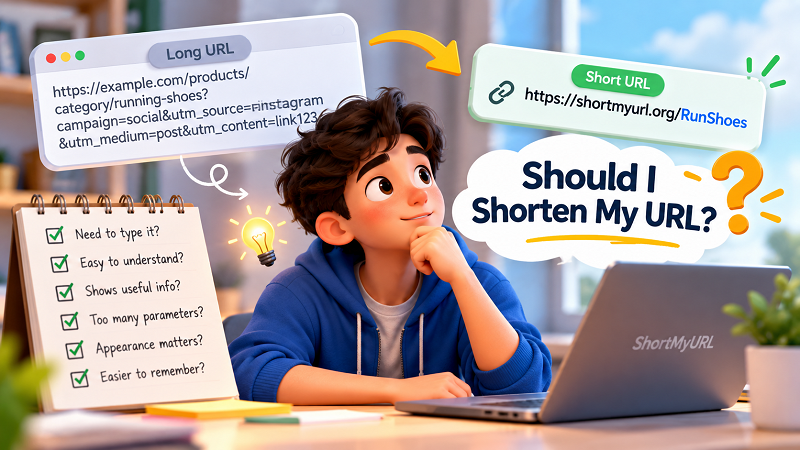
- First, Forget About the Number of Characters
- Check #1: Does Anyone Have to Type the Link?
- Check #2: Does the URL Look Like Something a Human Can Understand?
- Check #3: Is the Original URL Revealing Useful Information?
- Check #4: Is There a Lot of Extra URL Baggage?
- Check #5: Will the Link Be Shared in a Place Where Appearance Matters?
- Check #6: Would a Shorter Link Be Easier to Remember?
- When You Probably Don't Need to Shorten the URL
- When Shortening Starts to Make a Lot More Sense
- A Quick “Should I Shorten This?” Test
- Don't Optimize the URL. Optimize the Experience.
- Ready to Shorten My URL?
Sometimes that's absolutely true. Other times, the link is perfectly fine and shortening it solves a problem that never really existed.
A long URL isn't automatically a bad URL. What matters is what you're trying to do with it.
Are you sending it to someone in a message? Putting it on a poster? Sharing it during a presentation? Asking people to type it manually? Or are you simply staring at a long address in your browser and thinking, “That looks ugly”?
Those are very different situations.
Before you turn every oversized web address into a tiny string of characters, take a moment to run through a few simple checks.
First, Forget About the Number of Characters
The easiest mistake is judging a URL purely by length.
A URL can contain a lot of characters and still be completely understandable.
For example:
example.com/products/coffee
is longer than:
example.com/x7K2
But the first one immediately tells you something about the destination. The second one doesn't.
So the goal shouldn't be to make a URL as short as physically possible. The goal should be to make the link more practical for the situation in which you're going to use it.
That small distinction changes the whole conversation.
Instead of asking, “Is this URL too long?”, ask:
“Is the current URL creating friction for the person who has to use it?”
If the answer is no, you may not need to shorten anything.
Check #1: Does Anyone Have to Type the Link?
This is one of the fastest ways to decide.
If you're sending a link through a messaging app, people can usually tap it. Length becomes less annoying because nobody has to reproduce the URL character by character.
But imagine putting the same link on a printed flyer.
Now things change.
A visitor might have to type the address into a phone. A long URL containing several folders, numbers and parameters becomes much more annoying to reproduce accurately.
One missed character and the whole thing can fail.
The same applies to presentations, signage, business cards, classroom materials and anywhere else where a person might need to manually enter the address.
If people have to type it, a shorter link can be genuinely useful.
If everyone is simply clicking it, length may matter much less.
Check #2: Does the URL Look Like Something a Human Can Understand?
Some URLs are long because they contain meaningful information.
Others are long because they look like this:
example.com/page?id=928374&source=abc123&campaign=spring-sale&ref=homepage
There may be a perfectly good technical reason for every character in that address. But from a human perspective, it's not exactly poetry.
This is where shortening can improve the sharing experience.
A person doesn't necessarily need to see every parameter attached to a destination. In many everyday situations, a compact link is easier to read, copy and remember.
But there is a flip side.
If the original URL clearly communicates where you're going, shortening it can actually remove useful context.
For example:
example.com/menu
tells you something immediately.
A random short link like:
shortmyurl.org/a8Kp2
doesn't.
Shorter isn't automatically clearer.
Check #3: Is the Original URL Revealing Useful Information?
This is an underrated question.
Some websites use readable URLs to help visitors understand their content before clicking.
Consider:
example.com/blog/choosing-running-shoes
A reader can look at that address and immediately get a rough idea of what awaits them.
Now imagine replacing it with:
shortmyurl.org/4Fq9x
You've made the link shorter, but you've also removed the descriptive part.
That's not necessarily a problem. In many cases, the destination is already introduced by the surrounding text.
If your message says:
Read our guide to choosing running shoes: [link]
then the link doesn't need to explain everything.
But if the URL itself is doing some of the communication work, keeping the original address may make more sense.
The trick is knowing whether the URL is merely a path or part of the information you're giving the reader.
Check #4: Is There a Lot of Extra URL Baggage?
Now we're getting into the kind of URL that genuinely benefits from a cleanup.
Some links become enormous because they're carrying tracking parameters, campaign information, filters, referral details or other technical data.
That's not inherently bad. In fact, some of that information can be important.
The mistake is assuming that anything after the question mark is meaningless junk.
It isn't.
Before changing or removing anything, understand what those parameters are doing.
If they're required by the destination page, you don't want to accidentally strip them out just because the URL looks messy.
If they're simply making the address unpleasant to share, a short link can provide a cleaner way to present it without forcing the audience to stare at the entire underlying address.
This is one reason shortening and editing a URL shouldn't be treated as exactly the same thing.
You may want the destination to remain intact while changing only the way people access it.
Check #5: Will the Link Be Shared in a Place Where Appearance Matters?
There are situations where a long URL isn't technically a problem but is still visually annoying.
Think about a social post, presentation slide, printed card or promotional message.
A huge URL can dominate the layout. It can wrap onto multiple lines, interrupt the flow of a sentence or make a clean design suddenly look like a developer documentation page.
Nobody wants that.
A shorter link can disappear into the surrounding content instead of becoming the main character.
This is especially useful when the actual message is more important than the mechanics of the destination.
You want people reading the headline, offer, instructions or call to action — not spending five seconds wondering why the link is longer than the paragraph above it.
Check #6: Would a Shorter Link Be Easier to Remember?
There is a big difference between a link people can click and a link people can remember.
Suppose you're telling someone about a website in a conversation.
“Go to example.com and then click Products, then Shoes, then Running, then…”
That's not exactly memorable.
A compact, meaningful address can make the interaction much simpler.
This is where a custom alias can be useful. Instead of relying entirely on a random collection of characters, you can create a short address that has some connection to the destination or campaign.
For example:
shortmyurl.org/summer
is easier to say and remember than a random string.
Of course, the alias still needs to be available and appropriate. And there is no need to force a clever name onto every link.
Sometimes simple really is better.
When You Probably Don't Need to Shorten the URL
Let's flip the question around.
When is keeping the original URL perfectly reasonable?
If the address is already short, readable and easy to share, there may be no real benefit in changing it.
A link such as:
example.com/contact
doesn't suddenly become more useful because it has been reduced to a handful of characters.
The original address is already doing its job.
You may also want to keep a descriptive URL when the path gives visitors useful context. A readable link can help people understand what they're about to open, particularly when the surrounding text isn't enough.
In other words, don't shorten a URL just because someone on the internet told you short links are better.
Use them when they solve an actual problem.
When Shortening Starts to Make a Lot More Sense
On the other hand, there are some obvious warning signs.
The URL takes up half your message.
It breaks onto multiple lines.
You need to put it on printed material.
People have to type it manually.
It contains a pile of parameters that make it difficult to read.
You want a more memorable address for a particular campaign.
Or you're sharing it in a situation where visual simplicity matters.
That's when shortening stops being cosmetic and becomes practical.
You're not shortening the link for the sake of having fewer characters. You're removing friction.
And that's a much better reason.
A Quick “Should I Shorten This?” Test
You don't need a spreadsheet or a complicated decision tree.
Just ask yourself these five questions:
1. Is the URL difficult to type?
If yes, shortening could help.
2. Does the URL clutter the place where I'm sharing it?
If yes, a shorter version may look much cleaner.
3. Does the original URL provide useful context?
If yes, think twice before hiding it.
4. Does the destination depend on parameters or other URL information?
If yes, make sure the shortened version preserves the intended destination.
5. Will a shorter link actually make life easier for the person receiving it?
If yes, you've probably found a good reason to shorten it.
That last question is the one people skip most often.
And honestly, it's the most important one.
Don't Optimize the URL. Optimize the Experience.
This is the bigger idea behind all of this.
A URL is not just a technical address. It's something people encounter.
They see it in messages. They copy it. They type it. They put it into documents. They read it aloud. They decide whether it looks familiar enough to click.
So when you're deciding whether to shorten a URL, don't obsess over the URL itself.
Think about the person on the other side.
Will the shorter version make the interaction faster? Cleaner? Easier to remember? Less error-prone?
If yes, go for it.
If not, there's nothing wrong with leaving the original URL alone.
Ready to Shorten My URL?
Once you've decided that a shorter link genuinely makes sense, the actual process is straightforward. Paste the destination, create the shorter version, check where it leads, and give the final link a quick test before sharing it.
The important part isn't producing the smallest possible URL.
It's choosing a link that fits the way people will actually use it.
That's the difference between shortening a URL because you can and shortening it because it makes sense.
And when you look at it that way, the question isn't really “How short can I make this?”
It's much better:
“Will making this shorter make someone's next click easier?”