Short URL vs. Long URL: What’s the Difference?
URLs don't exactly win awards for being beautiful.
- What Is a Long URL?
- What Is a Short URL?
- Short URL vs. Long URL at a Glance
- Why Do URLs Get So Long?
- Benefits of Using a Short URL
- 1. Short URLs Are Easier to Share
- 2. Short URLs Look Cleaner
- 3. Custom Short URLs Can Be Memorable
- 4. They're Great for Printed Materials
- 5. Short URLs Work Well With QR Codes
- Benefits of Keeping the Long URL
- 1. The Destination Is More Obvious
- 2. You Don't Need Another Service
- 3. Your URL Is Already Short
- Does a Short URL Change the Destination?
- Short URLs and Click Tracking
- Are Short URLs Better for SEO?
- When Should You Use a Short URL?
- You're posting on social media
- You're sharing a link in a message
- You're running a marketing campaign
- You're printing a URL
- You're using a QR code
- You want link analytics
- When Should You Keep the Long URL?
- How to Choose Between a Short and Long URL
- A Simple Example
- Final Thoughts
Some are short, clean, and easy to remember. Others contain enough folders, numbers, symbols, and tracking parameters to look like a Wi-Fi password.
So, what's the actual difference between a short URL and a long URL? And more importantly, when should you use each one?
Let's break it down without turning this into a technical lecture.
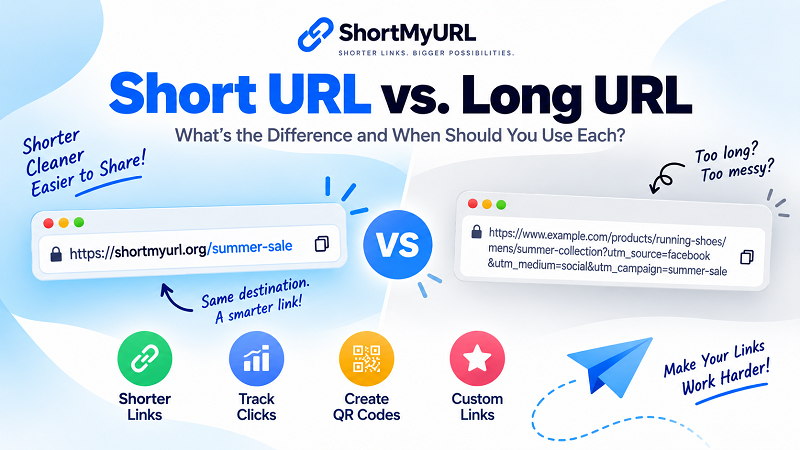
What Is a Long URL?
A long URL is simply a web address containing a lot of characters.
For example:
https://www.example.com/products/running-shoes/mens/summer-collection?utm_source=facebook&utm_medium=social&utm_campaign=summer-sale
There's nothing inherently wrong with this URL.
In fact, every part of it may serve a purpose.
It could identify the website, category, product, campaign, or tracking information associated with the page.
The problem isn't necessarily that the URL is bad.
It's that it's long.
Long URLs can be difficult to read, awkward to share, and annoying to type manually.
What Is a Short URL?
A short URL is a compact web address that redirects visitors to another URL.
For example:
https://shortmyurl.org/summer-sale
Instead of sharing the entire original address, you share the shorter version.
When someone clicks it, they are redirected to the destination page.
If you're new to URL shortening, check out our guide on what a URL shortener is and how it works.
Short URL vs. Long URL at a Glance
Here's the quick version:
| Feature | Short URL | Long URL |
|---|---|---|
| Length | Compact | Can be very long |
| Easy to share | Yes | Sometimes difficult |
| Easy to remember | Usually | Often difficult |
| Good for printed materials | Yes | Not ideal |
| Custom alias | Often available | Usually not applicable |
| Click tracking | Available with some services | Depends on implementation |
| Destination visibility | Less obvious | More transparent |
| QR code use | Very convenient | Works, but may create denser QR codes |
Neither format is automatically better in every situation.
The right choice depends on what you're doing with the link.
Why Do URLs Get So Long?
Before deciding whether to shorten a URL, it helps to understand why URLs can become huge in the first place.
A basic webpage URL might be relatively short:
https://example.com/about
Pretty painless.
But websites often add information to URLs.
You might see things like:
- Product categories
- Search queries
- Session information
- Tracking parameters
- Campaign identifiers
- Filters
- Referral information
- Database IDs
For example:
https://example.com/search?category=shoes&color=black&size=10&utm_source=instagram&utm_campaign=fall
Every parameter can have a purpose.
But if you're trying to share that URL with someone, the result isn't exactly elegant.
That's one of the situations where a short URL can make sense.
Benefits of Using a Short URL
1. Short URLs Are Easier to Share
This is the obvious one.
A short link takes up less space in messages, social posts, emails, and other places where every character can matter.
Compare:
https://www.example.com/products/category/summer-running-shoes?campaign=facebook
with:
https://shortmyurl.org/run-shoes
The second one is much easier to copy and share.
2. Short URLs Look Cleaner
A URL is part of your content's presentation.
A huge string of characters can make a post, advertisement, or printed design look cluttered.
A short URL keeps things visually tidy.
That's particularly useful for marketing campaigns where you want the call to action to stand out instead of having it buried beneath a monster-sized web address.
3. Custom Short URLs Can Be Memorable
Some URL shorteners allow you to create a custom alias.
For example:
shortmyurl.org/black-friday
is easier to recognize than:
shortmyurl.org/x8K4pQ
A memorable short URL can tell people something about the destination before they even click.
That's useful for campaigns, promotions, events, and frequently shared pages.
4. They're Great for Printed Materials
Imagine putting this on a business card:
https://example.com/products/category/summer-collection/product?id=837294
Not exactly a designer's dream.
A shorter address is easier to fit into:
- Business cards
- Flyers
- Posters
- Menus
- Product packaging
- Event signage
- Store displays
People can also type it manually without wondering whether they accidentally skipped half the URL.
5. Short URLs Work Well With QR Codes
You can use both a short URL and a QR code to direct people to the same destination.
For example, a restaurant could place a QR code on a table while also printing:
shortmyurl.org/menu
The QR code handles the scanning.
The short URL provides a human-readable alternative.
It's a handy combination for offline-to-online marketing.
Benefits of Keeping the Long URL
Shortening a URL isn't always the right move.
There are situations where the original URL has advantages.
1. The Destination Is More Obvious
A full URL can give users more information about where they're going.
For example:
example.com/blog/how-to-choose-running-shoes
immediately tells you what the page is probably about.
A short URL such as:
shortmyurl.org/a92xK
doesn't reveal much.
That transparency can be useful when people want to inspect a link before clicking it.
2. You Don't Need Another Service
A long URL works directly.
There's no URL shortening service sitting between the user and the destination.
For certain technical or long-term use cases, keeping the original URL may be preferable simply because you want fewer dependencies.
3. Your URL Is Already Short
Let's be practical.
If your URL looks like this:
example.com/contact
there's not much to fix.
Shortening it to another short URL doesn't exactly revolutionize the internet.
Sometimes the best URL shortening strategy is recognizing when you don't need one.
Does a Short URL Change the Destination?
No.
A short URL does not normally create a duplicate webpage or move your content somewhere else.
Instead, it acts as a redirect to the original destination.
Think of it as a signpost.
The short URL is the signpost, and the original URL is the actual destination.
For example:
Short URL
shortmyurl.org/product
↓
Destination
example.com/store/products/summer-running-shoes
Visitors use the short address, but they ultimately arrive at the original webpage.
Short URLs and Click Tracking
One interesting advantage of some URL shortening services is link analytics.
Depending on the service, you may be able to see how many people clicked a particular shortened link and potentially other information about link activity.
This can be useful when you're distributing the same type of content across multiple channels.
For example, you might create separate short URLs for:
- Printed flyers
If analytics are available, you can compare the click activity associated with each link.
That gives you information that simply sharing a raw URL may not provide.
If you want to learn more about the practical process, our guide on how to shorten a URL for free walks through the process step by step.
Are Short URLs Better for SEO?
This is where things can get misunderstood.
Using a URL shortener does not automatically give a webpage an SEO advantage.
Search engine optimization involves many factors, including the quality and relevance of the actual webpage, its content, links, technical setup, and other signals.
A short URL is primarily useful for sharing, usability, branding, and link management.
So don't shorten a URL because you expect a magical ranking boost.
Use a short URL because it's useful for the people who are going to see and share it.
That's a much more sensible reason.
When Should You Use a Short URL?
A short URL can be particularly useful when the link will be shared publicly.
Consider using one when:
You're posting on social media
A compact URL can keep the post cleaner and easier to read.
You're sharing a link in a message
Short links are easier to copy and paste, especially on mobile.
You're running a marketing campaign
A custom short URL can make a campaign link recognizable and easier to communicate.
You're printing a URL
Short addresses are much more practical on physical materials.
You're using a QR code
A short destination URL can be convenient for QR-based campaigns.
You want link analytics
If the shortening service provides analytics, a short URL can also become a useful tracking point.
When Should You Keep the Long URL?
Keeping the original URL can make sense when:
- The URL is already short
- The destination needs to be immediately visible
- You're sharing a link in a technical context
- You don't need analytics or link management
- You prefer to avoid redirect-based links
- The original URL is already descriptive and easy to read
There's no requirement to shorten every link.
Sometimes the original is perfectly fine.
How to Choose Between a Short and Long URL
Here's an easy rule of thumb:
If the URL is easy to read and share, keep it.
If the URL is long, messy, or difficult to communicate, consider shortening it.
And if you're using the link for marketing, printed materials, QR codes, or campaigns, additional features such as custom aliases and click analytics may make a short URL even more useful.
For a quick way to create one, you can shorten your URL with ShortMyURL.
A Simple Example
Let's say you own an online store and want to promote a summer shoe collection.
Your original URL is:
https://example.com/shop/mens/running-shoes/summer-collection?utm_source=facebook&utm_medium=social&utm_campaign=summer-sale
You could share that entire address.
Or you could create:
https://shortmyurl.org/summer-shoes
Now the link is:
- Easier to remember
- Easier to type
- Easier to print
- Easier to communicate
- Cleaner in promotional content
The destination hasn't changed.
You've simply made the path to it more convenient.
Final Thoughts
The debate between short URL vs. long URL isn't really about one format defeating the other.
Long URLs have their place.
They can contain useful information, make destinations more transparent, and work perfectly well when they're already manageable.
Short URLs have a different job.
They're designed to make long web addresses easier to share, remember, print, and manage.
So when you encounter a URL that's longer than it needs to be, ask yourself one simple question:
Will a shorter link make this easier for people to use?
If the answer is yes, shorten it.
If the answer is no, there's nothing wrong with keeping the original.
Sometimes, less URL is simply less hassle.