How to Shorten a Web Address Without Creating Problems
You find the page you want to share. You copy the URL, take a quick look at it, and suddenly wonder why a simple webpage needs such a ridiculously long address. The page itself might be perfectly fine. The website works, the destination is correct, and there is nothing technically wrong with the URL. It's just that the address looks like it was written for a computer rather than a human. That's when shortening the link can make sense. But there's a small trap here: making a URL shorter is easy; making sure the shortened version is actually useful is the part that deserves a little attention. Before turning a complicated address into a compact one, there are a few things worth checking.
- Start by looking at what you're actually shortening
- Don't shorten a URL before you know where it goes
- Ask yourself whether the original address is already good enough
- There are two different things you can do with a long URL
- Think about where the link is going next
- If you're sharing it manually, readability matters
- Custom aliases can make a short link easier to recognize
- Always test the shortened link
- Be careful with links that are meant to last
- What happens if the destination changes?
- Don't hide the destination just because you can
- A practical way to decide whether shortening is worth it
- The shortest link isn't necessarily the best link
- Make the link easier, not just shorter
Start by looking at what you're actually shortening
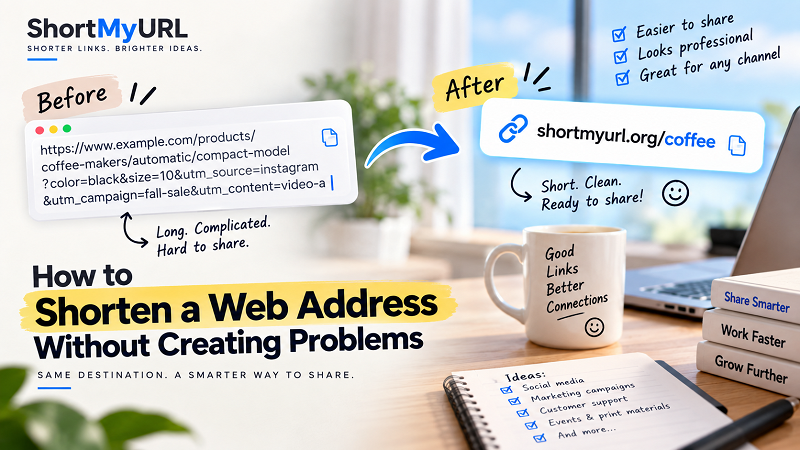
A URL can contain several different pieces, and they don't all serve the same purpose. Consider an address such as example.com/store/shoes/running/road-shoes?color=black&size=10&utm_source=instagram&utm_campaign=fall-sale. At first glance, it looks like one giant piece of information, but it isn't. The domain identifies the website, the path identifies a particular location within that website, and the query parameters may control filters, track campaigns, or provide other information. That distinction matters because you shouldn't assume that every character after the domain is unnecessary. Sometimes a parameter is essential. Sometimes it isn't. Sometimes it can be removed safely, and sometimes the easiest option is simply to leave the original URL untouched and create a separate short link for sharing.
Don't shorten a URL before you know where it goes
This sounds obvious, but it's an easy mistake to make when you're dealing with links copied from somewhere else. Open the original address first and check that it reaches the page you actually want. Look at the product, article, form, offer, or destination. If the URL contains filters or other parameters, make sure the page is displaying the correct version. This is especially important when you're working with links copied from search results, advertising platforms, shopping sites, or systems that generate dynamic URLs. A shorter link won't fix a wrong destination. It will simply make the wrong destination easier to share.
Ask yourself whether the original address is already good enough
Not every long-looking URL needs to be shortened. For example, example.com/about doesn't really have a problem, and neither does example.com/pricing. These addresses are short, readable, and easy to communicate. The situation changes when you encounter something like example.com/catalog/category/product-name?variant=blue&utm_source=newsletter&utm_medium=email&utm_campaign=october. Now there's a stronger case for creating a compact version. The point isn't to chase the smallest possible number of characters. It's to remove friction where friction actually exists.
There are two different things you can do with a long URL
This distinction is useful and often overlooked. Option one is modifying the original URL. You might remove unnecessary parameters or simplify the path if you control the website and understand exactly what each component does. Option two is leaving the destination alone and creating a shortened URL that redirects to it. For most people who simply need a cleaner link to share, the second approach is considerably more straightforward. The original page continues to exist exactly where it is, while the short link becomes the convenient public-facing version. Your website's technical structure doesn't necessarily need to match the format you use when communicating with people.
Think about where the link is going next
A URL doesn't exist in isolation. Its usefulness depends heavily on its next destination. A long link pasted into an internal technical document may be perfectly acceptable because nobody is manually typing it and the full address may actually be useful to the people reading it. The same link printed on a poster is a completely different story. If someone has to type example.com/event/register/summer-community-event-2026?source=poster&utm_campaign=local-event into their phone, every additional character creates another opportunity for an error. A shorter address can be much more practical in that situation.
The same logic applies to business cards, presentations, social profiles, email messages, advertisements, packaging, and customer support chats. Before shortening anything, ask one simple question: How will someone interact with this link? That question often tells you more than the URL length itself.
If you're sharing it manually, readability matters
People don't read URLs the same way they read sentences. A long address filled with slashes, hyphens, numbers, question marks, and tracking parameters becomes difficult to scan. That can create an awkward moment when you're trying to explain the link to someone: “Go to the website, then slash products, slash category, then… actually, never mind. I'll send it to you.” We've all been there.
A compact URL eliminates some of that friction. This doesn't mean a short link has to be clever. In fact, overly clever aliases can create their own problems. A simple, recognizable ending is usually more useful than something mysterious.
Custom aliases can make a short link easier to recognize
If the service you're using supports custom aliases, there can be a practical advantage beyond simply reducing characters. Compare shortmyurl.org/x7Kp92 with shortmyurl.org/summer-sale. The second version gives the recipient at least a hint about the destination, which can be particularly useful when you're creating links for campaigns, events, products, or recurring promotions. Of course, the alias should accurately represent where the link leads. A misleading label defeats the entire purpose of creating a cleaner sharing experience. And don't force an alias when the default short code is perfectly adequate. Sometimes random is fine.
Always test the shortened link
This is the step that takes seconds and can save you a headache. After creating the short URL, click it and make sure it redirects to the intended destination. If the link is going somewhere important, test it in the environment where people will actually use it. Check it on a phone if you're preparing a mobile-focused campaign, test it before printing it on physical material, and open it from a private browser window if appropriate. Why bother? Because the worst time to discover a broken link is after you've already published it. A typo in an ordinary message can be corrected. A typo in 5,000 printed flyers is a much more expensive lesson.
Be careful with links that are meant to last
Some links have a very short life. A social post might be relevant for a few days, while a temporary campaign might run for a month. Other links have a much longer lifespan. A business card can stay in circulation for years, a printed brochure might be handed to customers long after its publication date, and a presentation can be downloaded and shared repeatedly. For long-lived material, reliability matters more than shaving off a few extra characters.
Before committing to a shortened URL, consider whether the service is designed to keep links working over time. A beautifully short link isn't particularly useful if it eventually stops redirecting. If you're creating a link for something that people may encounter months or years from now, longevity should be part of the decision rather than an afterthought.
What happens if the destination changes?
This is another reason to think beyond the first click. Imagine you've printed a short link on a flyer that points to example.com/summer-event. A few months later, the campaign ends and the page is removed. What happens to the printed short link? If your shortening setup allows you to manage or update the destination, you may be able to point that same short address somewhere useful instead of letting it become a dead end.
This can turn a short link into something more useful than a compressed URL. It can become a stable sharing point that sits between your audience and the destination page. That doesn't mean every link needs this feature, but for printed and long-running campaigns, it's worth considering before you distribute the link widely.
Don't hide the destination just because you can
Short links are convenient, but convenience shouldn't come at the expense of trust. If someone receives an unfamiliar shortened URL, they may not know where it leads. That's especially relevant when the link appears in a message from someone they don't know or in an unexpected context. If you're sharing links publicly, use a recognizable shortening service and avoid aliases that deliberately obscure what the destination is about. The purpose of a short link is to make sharing easier, not to make the destination mysterious.
A practical way to decide whether shortening is worth it
Here's a simple mental checklist. If the original address is already short and readable, leave it alone. If it's long because of useful technical parameters but you need a cleaner version for sharing, create a short link rather than randomly deleting pieces. If people have to type the address manually, shortening becomes more valuable. If the URL is going into printed material, test the shortened version before committing it to print. If the link will be used for months or years, pay close attention to reliability and link management. And if the destination itself is wrong, fix that first. No amount of URL shortening can rescue a bad destination.
The shortest link isn't necessarily the best link
There's a strange temptation to treat URL shortening like a competition. Ten characters are better than twelve. Eight are better than ten. Six must be amazing. But that's not really how useful links work. A good link is one that fits its purpose. For a private message, a basic short code may be completely fine. For a marketing campaign, a recognizable alias might be more useful. For a printed poster, simplicity and readability may matter most. For an analytics-heavy campaign, preserving the full destination and its tracking information may be essential. The right answer depends on the job.
Make the link easier, not just shorter
That's ultimately the best way to think about shortening a web address. You're not trying to win a character-count contest. You're trying to make the next interaction easier for another human being. Maybe they need to type the link. Maybe they need to read it from a presentation. Maybe they need to recognize it in a message. Maybe they need to remember it long enough to enter it later. Or maybe you simply don't want a wall of URL parameters taking over an otherwise clean piece of communication.
Whatever the situation, start with the destination, understand what the original address is doing, and then decide whether creating a shorter version actually improves the experience. When the answer is yes, shorten web address workflows can turn an unwieldy URL into something much easier to distribute without changing the page people ultimately reach.
The best result isn't the shortest possible link. It's the link that gets someone where they need to go with as little unnecessary friction as possible.