How to Share Long Links Without Making Your Message Messy
You copy a link, paste it into a message, and suddenly your neat little conversation is interrupted by a URL that seems to go on forever. It contains folders, numbers, question marks, tracking codes, and enough random characters to make you wonder whether you copied an entire webpage instead of a link.
- When Does a Link Become Too Long to Share Comfortably?
- Why Do Some URLs Get So Long?
- What Makes a Long Link Difficult to Share?
- Should You Always Shorten a Long URL?
- A Simple Way to Make Long Links Easier to Share
- Where Short Links Can Make the Biggest Difference
- Messaging and Email
- Social Media
- Presentations
- Printed Materials
- A Few Things to Check Before Sharing a Short Link
- The Point Isn't Just to Make the URL Shorter
The URL may work perfectly. That's not really the problem. The problem is that a technically valid link isn't always a convenient link to share.
Whether you're sending something to a friend, dropping a page into an email, posting on social media, or sharing a resource with a customer, a cleaner URL can make the whole experience feel simpler. Here's how to recognize when a link has become unnecessarily difficult to share and what you can do about it.
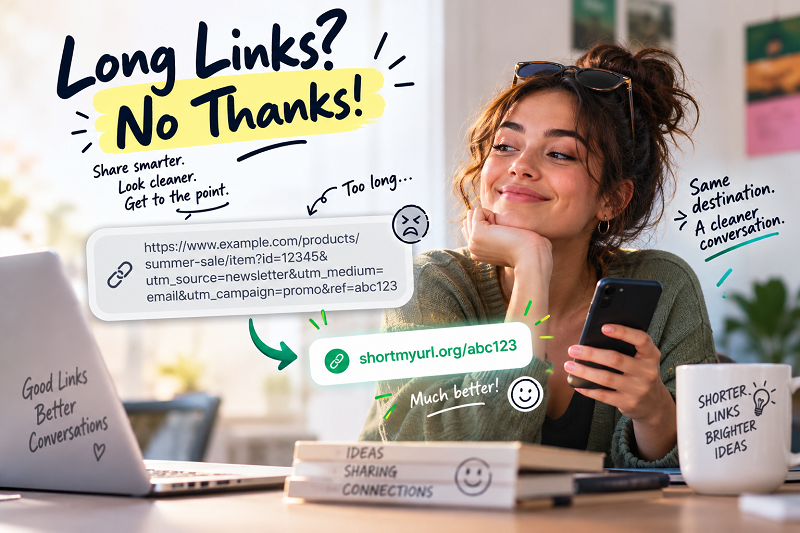
When Does a Link Become Too Long to Share Comfortably?
There's no magic character count where a URL suddenly becomes "too long." A 70-character URL might be perfectly manageable, while a 150-character URL with multiple parameters can be a nightmare to work with.
The real issue is how the URL behaves in the context where you're sharing it.
Consider a link that looks something like this:
example.com/products/category/item-name?source=newsletter&utm_campaign=summer-sale&utm_medium=email
There's nothing inherently wrong with it. The destination is clear to the website, and the extra parameters may serve useful purposes such as campaign tracking. But to a person reading the message, it isn't exactly elegant.
A long URL can dominate a message, wrap across several lines, become difficult to recognize at a glance, and make manual copying unnecessarily annoying. On mobile devices, the problem can become even more noticeable because screen space is limited.
So instead of asking, "How many characters is too many?" ask a more useful question:
Does this URL make sharing harder than it needs to be?
Why Do Some URLs Get So Long?
Long URLs usually aren't created for the sake of being long. Websites often need additional information to describe a page, identify a product, preserve navigation paths, or track where visitors came from.
An online store, for example, might generate a URL containing product categories and filters. A marketing campaign might append tracking parameters. A search result could contain information describing a particular query or set of filters.
This means that a long URL isn't necessarily a bad URL.
That's an important distinction. URL length and URL quality are not the same thing.
A lengthy address can still lead to exactly the right page and perform perfectly from a technical perspective. The inconvenience appears when you take that URL out of its original environment and try to share it somewhere else.
What Makes a Long Link Difficult to Share?
The biggest problem isn't that people dislike long strings of characters. It's that humans aren't particularly good at processing them.
Imagine telling someone a URL over the phone. A short address can be remembered reasonably easily. A long URL containing random numbers, symbols, parameters, and capitalization is another story entirely.
The same thing happens when someone sees a long link on a printed document or inside a busy message. They have to work harder to understand it, copy it, or decide whether it looks trustworthy.
There are several common friction points:
- It takes up space. A long URL can push important content further down a message or make a social post look cluttered.
- It's difficult to scan. A reader may struggle to identify the actual destination among a wall of characters.
- It's easy to copy incorrectly. One missing character can turn a perfectly good URL into a broken one.
- It's awkward to communicate verbally. Reading a short link aloud is much easier than dictating a complicated URL.
- It can interfere with visual design. Long addresses aren't particularly friendly to presentations, documents, promotional materials, or other layouts where space matters.
None of these problems necessarily means the original URL is bad. They simply mean that the original format isn't ideal for every sharing situation.
Should You Always Shorten a Long URL?
No — and this is where a little common sense goes a long way.
If you're sharing a page where the full URL provides useful context, keeping the original address may be the better choice. A descriptive URL can help someone understand where a link goes before clicking it, particularly when you're sharing information in a professional or technical setting.
On the other hand, shortening can make sense when the destination URL is unnecessarily cumbersome and your main goal is simply to get someone from point A to point B.
Think about the environment.
If you're sending a link privately to someone who doesn't care about the URL itself, a shorter version may create a cleaner experience. If you're putting a link into a social post, presentation, flyer, or printed document, saving space can be particularly useful.
The goal isn't to make every URL shorter. The goal is to choose a format that makes sense for the way the link will actually be used.
A Simple Way to Make Long Links Easier to Share
Once you've decided that a particular URL would benefit from being shorter, the process is pretty straightforward.
Start with the exact destination you want people to visit. Copy the original URL rather than manually rebuilding it. Then use a URL shortening service to generate a compact version of that address.
For example, instead of sharing a long product or campaign URL filled with parameters, you can shorten my url for free and use the resulting short link wherever a cleaner address makes more sense.
Before sending it out, open the new link yourself. Make sure it redirects to the intended destination and that the page loads correctly on mobile. A few seconds of checking now can save you from discovering a broken link after you've already shared it with dozens of people.
That's really the whole idea: same destination, less friction.
Where Short Links Can Make the Biggest Difference
A short URL isn't useful only because it looks nicer. Different sharing environments create different practical reasons to use one.
Messaging and Email
In a private message or email, a long URL can visually overpower the actual message. A shorter address keeps the focus on what you're trying to tell the recipient rather than on a giant string of characters.
This is especially useful when you're sharing several links in the same conversation.
Social Media
Social platforms often have their own ways of displaying links, but a compact URL can still be useful when you're writing captions, creating posts, or directing people toward a specific page.
It can also make the text around the link easier to read, particularly when you're working with limited space.
Presentations
Nobody wants a slide where the most noticeable element is a URL stretching halfway across the screen.
A shorter address can fit naturally into a presentation without forcing you to shrink the font until it becomes unreadable.
Printed Materials
This is one of the situations where URL length becomes particularly important.
If someone sees a URL on a poster, flyer, business card, or handout, they may need to type it manually. A shorter address means fewer characters to enter and fewer opportunities to make a mistake.
If a QR code is also available, that's even better — but a readable short URL can still provide a useful backup option.
A Few Things to Check Before Sharing a Short Link
Making a URL shorter shouldn't mean switching off your common sense.
First, check the destination. Make sure the shortened link leads exactly where you expect it to go.
Next, think about trust. People should have a reasonable understanding of what they're being asked to click. Don't use shortened URLs to disguise suspicious destinations or mislead recipients.
It's also worth checking whether the service you use offers the features you actually need. Depending on your use case, you may care about things such as permanent links, custom aliases, click tracking, or the ability to manage links later.
And don't forget the simplest test of all: click the link yourself.
A short URL that doesn't work is considerably less useful than a long URL that does.
The Point Isn't Just to Make the URL Shorter
It's tempting to think of URL shortening as a simple character-counting exercise: take a huge link, turn it into a tiny one, done.
But the real benefit is more practical than that.
A well-chosen short link can make a message easier to read, a presentation cleaner, a printed piece easier to use, and a shared resource less cumbersome to handle. You're not changing what the link does. You're changing how easily people can interact with it.
And that's the part that matters.
A good link shouldn't get in the way of the thing you're actually trying to share.