How to Organize Influencer Campaign Links Without the Chaos
An influencer campaign can have a brilliant creative concept, a great product, and a creator whose audience is a perfect match. Yet one small operational mess can throw everything off: the wrong link ends up in a caption, an old promotion gets shared, or a creator publishes content before receiving the final landing page URL.
- Monday Morning: One Campaign, Too Many Links
- Build a Link Handoff, Not Just a Link List
- Follow One Link From the Brief to the Published Post
- Where Short Links Actually Help Creators
- The Five-Minute Pre-Publish Handoff
- When the Campaign Changes After the Brief Is Sent
- Make the Next Campaign Easier to Run
These problems rarely come from a lack of marketing talent. They happen when links move between brand teams, agencies, and creators without a clear process. One person updates a document, another copies a URL from an old email, and someone else assumes the link is already approved.
The fix isn't another complicated marketing dashboard. It's a smarter way to organize campaign links, communicate changes, and make it easy for everyone to use the right URL at the right time.
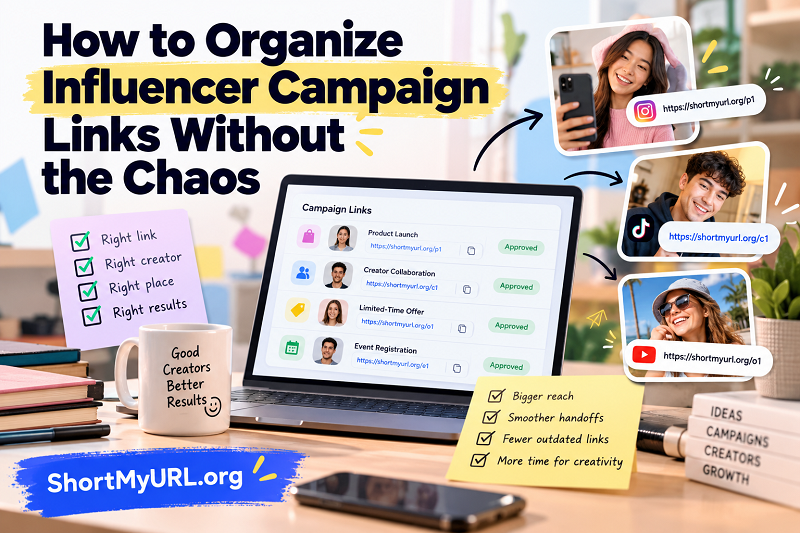
Monday Morning: One Campaign, Too Many Links
Imagine you're launching a product with eight creators across Instagram, TikTok, and YouTube. Each creator receives a campaign brief, a landing page URL, promotional details, and a publishing deadline. Some need the link in their bio, others place it in video descriptions, and a few share it through stories or pinned comments.
By Wednesday, the campaign has developed a life of its own. The landing page has been updated, the discount period has changed, and the agency has sent a revised brief. Unfortunately, two creators are still working from the original document.
Now your team has to answer questions that should never have become mysteries: Which URL is approved? Does this link lead to the current offer? Has the creator received the update? And who is responsible for confirming the final version?
The lesson is simple: a campaign with multiple collaborators needs more than a collection of URLs. It needs a reliable handoff process that connects each link to its purpose, owner, and publishing destination.
Build a Link Handoff, Not Just a Link List
A spreadsheet full of URLs might look organized, but a list without context can create just as much confusion as a crowded inbox. The goal is to make each link understandable without requiring someone to dig through previous messages.
For every campaign link, record the information that helps the next person take action:
- Campaign name: Identify the promotion or launch the URL belongs to.
- Creator or owner: Make it clear who is responsible for using or approving the link.
- Destination: Describe the page the audience should reach, such as a product page, registration form, or promotional landing page.
- Placement: Specify whether the link belongs in a bio, caption, video description, story, or another location.
- Status: Label it as pending, approved, replaced, or no longer in use.
- Publishing deadline: Include the date and time when relevant, especially when offers have a limited availability window.
Consider the difference between a row labeled Campaign Link 3 and one labeled October Launch – Creator A – Product Page – Approved. The second option tells the team what the link is for before anyone even opens it.
Keep this information in one shared source of truth. Creators shouldn't have to search through email threads, chat messages, and downloaded PDFs to find the current URL. If the campaign changes, update the central record and notify the people affected.
Follow One Link From the Brief to the Published Post
A useful way to test your process is to follow a single URL through the entire campaign. Don't start with a massive workflow diagram. Start with one link and see where information gets lost.
Step 1: The marketer prepares the destination. Choose the page that matches the campaign's objective. If the promotion directs people to a product bundle, for example, the link should take visitors to that bundle rather than a generic homepage. Confirm that the page is available and displays the correct offer.
Step 2: The agency reviews the details. The person coordinating the campaign checks the destination, confirms the intended placement, and verifies that the link matches the approved brief. If tracking parameters are required, make sure they are applied consistently before the URL is distributed.
Step 3: The creator receives a clear handoff. Send the approved URL with a short explanation of where it belongs and when it should be published. Don't bury essential instructions in a long paragraph or assume the creator remembers details from an earlier call.
Step 4: The content goes live. After publication, verify the actual link in the post rather than relying on a message saying that the content is ready. Open it, check the destination, and confirm that it works as intended.
Step 5: The team closes the loop. Mark the content as published and record the final URL or post location in the campaign tracker. This gives the team a useful reference for reporting, troubleshooting, and future collaborations.
The important detail is ownership. Every handoff should make it clear who is expected to act next. When responsibility is vague, even a perfectly formatted URL can end up sitting untouched in a shared document.
Where Short Links Actually Help Creators
Long URLs can be awkward to copy, difficult to scan in a campaign brief, and visually distracting in places where creators need to communicate a message quickly. A shorter link can make these small interactions easier, especially when the same campaign involves several collaborators and publishing channels.
A short link generator can help marketers turn lengthy URLs into cleaner links that are easier to share in briefs, messages, and other campaign materials. A descriptive custom alias can also help team members recognize a link's purpose at a glance, provided the naming convention remains consistent.
For example, a team might use a recognizable naming pattern such as oct-launch-creator-a for an internal campaign reference. The exact alias will depend on availability and the shortener's supported characters, but the principle is the same: make links easier for people to identify and handle.
Short links are especially useful when a marketer needs to distribute the same approved destination through several communication channels. They reduce visual clutter and make copying and sharing more convenient. They can also be easier to include in presentations, creator instructions, and campaign notes.
However, keep one distinction firmly in mind: a shorter URL doesn't automatically make a campaign more organized. It won't tell a creator where to place the link, establish approval rules, or notify everyone when a promotion changes. Those responsibilities still belong to your workflow.
Before sharing any shortened URL, test it to confirm that it redirects to the intended destination. If your campaign uses analytics or tracking parameters, verify that the necessary tracking information remains intact. Also, don't assume that every short link can be edited after creation; that capability depends on the service and link configuration.
The Five-Minute Pre-Publish Handoff
It's 4:55 p.m. A creator is scheduled to publish at 5:00 p.m., and the campaign manager has just learned that the discount code has changed.
This is precisely when a good process earns its keep. Instead of sending a frantic message that says, "Use the new link!", the manager updates the shared campaign record, identifies the affected creator, and communicates exactly what changed.
The creator receives the replacement URL, the updated promotion details, and confirmation of the correct placement. Before publishing, they open the URL, check the landing page, and verify that the promotion matches the caption. The manager then confirms that the new link is being used.
This short handoff covers four essentials: the correct destination, the current offer, the intended placement, and confirmation from the person responsible for publishing.
If the change affects multiple creators, notify every affected person rather than assuming that an update to the shared document will be noticed immediately. A single, explicit message is often more reliable than hoping everyone checks the latest version on their own.
For campaigns with strict deadlines, define a cutoff for last-minute changes whenever possible. Not every adjustment can be avoided, but a clear approval window gives the team time to verify links before content goes live.
When the Campaign Changes After the Brief Is Sent
Campaigns rarely remain frozen from kickoff to publication. Products sell out, promotions are extended, landing pages are redesigned, and schedules shift. The challenge isn't eliminating every change; it's making sure changes don't create competing versions of the same instruction.
Start by distinguishing between a destination change and a communication change. If the landing page URL itself changes, update the campaign record and provide the replacement link to everyone affected. If the URL remains the same but the discount or publishing instructions change, communicate the revised details without creating unnecessary confusion about which link is valid.
Next, establish a clear rule for outdated versions. Mark replaced links as superseded in the tracker, and avoid leaving old URLs labeled as approved. If creators have already scheduled posts or drafted captions, identify which assets need to be updated.
A few practical habits make this easier:
- Give each campaign a consistent naming convention.
- Keep approval status visible rather than hidden in chat history.
- Assign one person to coordinate link changes.
- Notify affected collaborators directly when an update requires action.
- Recheck published content if a change could affect the audience's destination or offer.
Remember that replacing a URL in your internal tracker doesn't necessarily update a link already published by a creator. Existing posts may need to be edited separately, depending on the platform and placement. Plan for that possibility before a time-sensitive campaign goes live.
Make the Next Campaign Easier to Run
The best campaign workflow isn't the one with the most tools or the longest spreadsheet. It's the one that allows every collaborator to understand what to do without repeatedly asking for clarification.
Start small. Create a shared tracker, define the information required for every link, assign responsibility for approvals, and establish a simple process for communicating changes. Test the workflow with one creator or a small campaign before rolling it out across a larger team.
Then review what happened after publication. Which links caused confusion? Where did approvals slow down? Did anyone use an outdated URL? Use those observations to improve the next campaign rather than adding complexity for its own sake.
For brands and creators who regularly share long URLs, ShortMyURL.org offers a free way to create shorter, more shareable links. Combine that convenience with a clear handoff process, and your team can spend less time untangling URLs and more time creating campaigns people actually want to see.
Because a great influencer campaign deserves to be remembered for its content—not for the link that went missing five minutes before launch.