What Your URL Reveals Before You Share a Link
A link can look completely harmless and still carry information you never intended to share. You copy a URL from your browser, paste it into an email, send it to a client, and move on with your day. Simple enough, right? Not always. Some URLs contain personal details, session identifiers, access tokens, or internal reference numbers that shouldn't travel beyond their intended destination. The tricky part is that these details often hide among ordinary-looking letters, numbers, and symbols. Before you share your next link, it pays to understand what that string of text might reveal.
- A URL Is More Than an Address
- Three Kinds of Information That Deserve a Second Look
- Personal Details That Travel With the Link
- Access Tokens and Session-Related Values
- Internal Identifiers and Operational Details
- Why a Shared URL Can Travel Further Than Expected
- What to Do When a URL Contains Information It Shouldn't
- Where URL Shortening Helps—and Where It Doesn't
- A Smarter Habit Before You Hit Send
- Share the Destination, Not Unnecessary Data
A URL Is More Than an Address
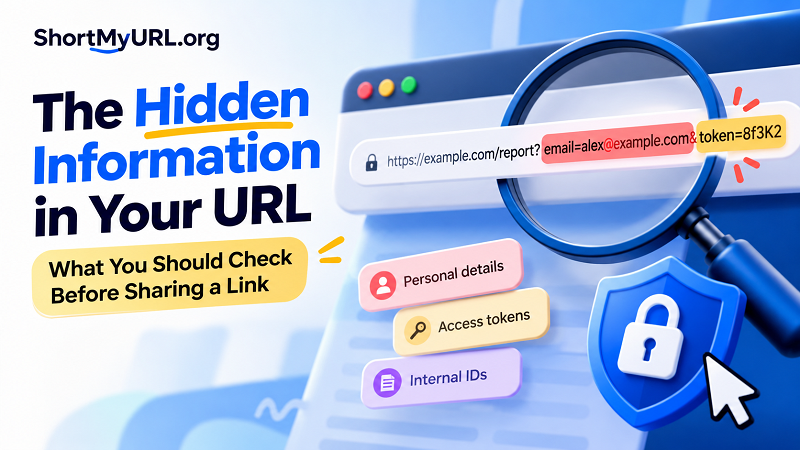
Most people think of a URL as a digital street address. It tells a browser where to go, and that's about it. In reality, a URL can contain several components, each serving a different purpose. The domain identifies the website, the path points to a particular resource, and query parameters can pass additional information to the server. Some URLs also include a fragment that identifies a particular section of a page.
Consider this example:
https://example.com/[email protected]&campaign=summer
The domain and path identify a report page. The parameters after the question mark provide additional context, including an email address and a campaign label. Those values may be useful to the website, but they also change what the URL reveals to anyone who can see it.
Not every parameter is sensitive, and a long URL isn't automatically dangerous. Tracking labels, product filters, language preferences, and pagination values are common examples of perfectly ordinary parameters. The real question is what the URL contains, who can access it, and whether the information belongs in a shareable address in the first place.
Three Kinds of Information That Deserve a Second Look
Personal Details That Travel With the Link
Email addresses, customer reference numbers, names, and other identifying details sometimes appear directly in URLs. A website might use these values to personalize a page or identify a particular record. That doesn't necessarily mean the website is vulnerable, but it does mean anyone who sees the complete URL may learn something about the person or record it references.
Imagine sending a customer a link to a support document. If the address contains their email address or an identifiable case number, forwarding that link could expose more information than intended. Even when the page itself requires authentication, the URL may still reveal details that should have remained private.
A cleaner approach is to let the application identify the relevant record securely rather than embedding unnecessary personal information in a shareable address.
Access Tokens and Session-Related Values
This category deserves the most attention. Some URLs contain tokens used to verify an action, authorize access, or confirm a user's identity. Password-reset links, invitation links, and certain file-sharing links may rely on unique values embedded in the address.
If a token grants access to a resource, sharing the URL can sometimes be equivalent to sharing a temporary key. Anyone who obtains that link may be able to use it, depending on how the application implements authorization, expiration, and other safeguards.
That doesn't mean every unusual string in a URL is an access token. It does mean you should treat unfamiliar, security-related parameters cautiously, especially when a link came from an account-management page, private document, or administrative system. If you suspect a working access token has been exposed, follow the service's official process to revoke or replace it where possible.
Internal Identifiers and Operational Details
Order numbers, document IDs, workspace references, and internal record identifiers can also appear in URLs. These values aren't automatically confidential. Many websites use public identifiers to organize content, and an identifier alone doesn't necessarily provide access to anything.
The risk depends on the surrounding system. If a website allows someone to access another person's record simply by changing an ID in the URL, that's an authorization flaw—not merely a URL-formatting problem. Sensitive resources must be protected by server-side permission checks, regardless of how obscure or complicated their addresses look.
In other words, don't confuse a hard-to-guess link with proper access control. Security should come from the application, not from hoping nobody figures out an address.
Why a Shared URL Can Travel Further Than Expected
Once a link leaves your browser, you lose some control over where it goes. A recipient might forward it to a colleague, paste it into a group chat, save it in a shared document, or include it in a screenshot. A URL may also be recorded in browser history, server logs, analytics systems, or other infrastructure, depending on the application and its configuration.
Referrer behavior can create another exposure path. When a browser navigates from one page to another, it may send information about the referring URL under the applicable referrer policy. Modern browsers and websites often limit what gets shared, but you shouldn't assume every environment behaves identically.
HTTPS is essential for protecting data in transit, but it doesn't make sensitive URL parameters invisible to every system that handles them. Encryption between the browser and website does not prevent the URL from appearing in browser history or application logs, for example.
Here's the practical takeaway: a link intended for one person can end up in several places. If the URL contains information that shouldn't be copied, logged, or forwarded, the best solution is to remove that exposure at the source—not simply hope the link stays private.
What to Do When a URL Contains Information It Shouldn't
Start by identifying the type of information involved. A harmless tracking parameter is a different problem from a password-reset token or a link that grants access to a private document. The response should match the actual risk rather than treating every long URL as an emergency.
If the address contains personal information that isn't necessary, check whether the website provides a cleaner URL or another official way to share the resource. Avoid deleting random parameters without understanding their purpose; doing so may break the link, change the destination, or interfere with the intended workflow.
If a URL contains a credential, access token, or other value that could grant unauthorized access, don't circulate it further. Use the service's official security controls to revoke the link, invalidate the token, or generate a replacement when supported. If the information has already been shared publicly, consider who may have accessed it and whether additional action is necessary.
For developers and website owners, the stronger fix is architectural. Avoid placing secrets in URLs when safer alternatives exist, enforce authorization on the server, use short-lived and narrowly scoped tokens when appropriate, and configure logging and referrer policies carefully. Sensitive actions should never depend solely on keeping a URL obscure.
Where URL Shortening Helps—and Where It Doesn't
Long URLs can be awkward to share, especially in social posts, printed materials, presentations, and customer messages. A shorter link creates a cleaner appearance and makes the address easier to handle. It can also provide a more consistent way to present links across different channels.
A link generator short tool can help turn a lengthy address into a more manageable link. With ShortMyURL, you can create short links that are easier to share without making your audience deal with a wall of parameters and characters.
But there's an important distinction: shortening a URL is not the same as sanitizing it. A shortened link generally redirects visitors to its configured destination. If the original destination contains sensitive information, that information may still be present in the destination URL or exposed through the surrounding application. The short link doesn't automatically remove credentials, fix authorization flaws, or make an unsafe destination trustworthy.
Before shortening a link, review the destination itself. Remove unnecessary sensitive data through the website's supported workflow, confirm that the destination is appropriate for the recipient, and verify that the final link works as intended. A cleaner-looking address is useful, but it shouldn't be mistaken for a security feature.
A Smarter Habit Before You Hit Send
You don't need to inspect every URL like a cybersecurity investigator. You just need to recognize when the context calls for an extra look. A public article, product page, or ordinary category link usually presents a different level of concern from a password-reset URL, private document, or customer-specific dashboard.
Before sharing a link, ask yourself three questions: Does the recipient need everything included in this address? Could any part of it reveal private information or provide access to a protected resource? Is there an official, safer way to share the same destination?
Those questions take only a few seconds, but they can prevent unnecessary exposure. If you're sharing links at work, it's also worth establishing a simple team convention: public links can be shared normally, while links associated with accounts, private records, or access tokens deserve additional scrutiny.
Share the Destination, Not Unnecessary Data
A good URL does more than point to the right page. It should carry only the information necessary for its purpose, respect the permissions of the person opening it, and remain appropriate for the channel where it's shared.
The key is to separate convenience from security. Short links can improve readability and make sharing easier, while sound application design protects private information and controls access. Neither replaces the other.
So, the next time you copy a URL, take a quick look before sending it. You might discover that the link is perfectly fine—or catch a detail that never needed to leave your browser. Either way, that's a much better habit than assuming a harmless-looking address tells the whole story.