Who Owns Your Short Links? A Team Handoff Plan
A marketing employee leaves the company. An agency contract ends. A freelancer who created dozens of campaign links disappears from the picture. Business goes on, but there's one awkward question nobody seems ready to answer: Who actually owns those short links?
- A Short Link Is a Business Asset, Not Just a Marketing Shortcut
- The Three Ownership Gaps That Create Problems
- 1. Account Ownership: Is the Account Yours or Someone Else's?
- 2. Destination Ownership: Who Controls Where the Link Goes?
- 3. Domain Ownership: Who Controls the Domain Behind Your Links?
- Build a Link Ownership Register
- The Handoff Framework: Before, During, and After a Team Change
- Before: Identify What Needs to Be Transferred
- During: Transfer Access and Responsibilities
- After: Verify Everything Works
- Who Should Be Responsible for Each Part?
- What to Do When the Original Creator Is No Longer Available
- A 30-Minute Short Link Ownership Audit
- Every Link Needs an Owner
It sounds like a minor administrative detail until something breaks. A campaign link stops redirecting, nobody knows which account created it, and the person who had access is no longer around. Suddenly, a URL that took seconds to create becomes a frustrating little business problem.
Short links are easy to create and even easier to forget. They get printed on packaging, added to social media profiles, embedded in email campaigns, shared with partners, and placed on advertising materials. Some remain active for months or years. Yet many businesses treat them like disposable marketing accessories rather than assets that need proper ownership.
That's a mistake worth fixing. Your team doesn't need a complicated enterprise system to stay organized. It needs clear responsibilities, accessible records, and a handoff process that doesn't depend on one person's memory.
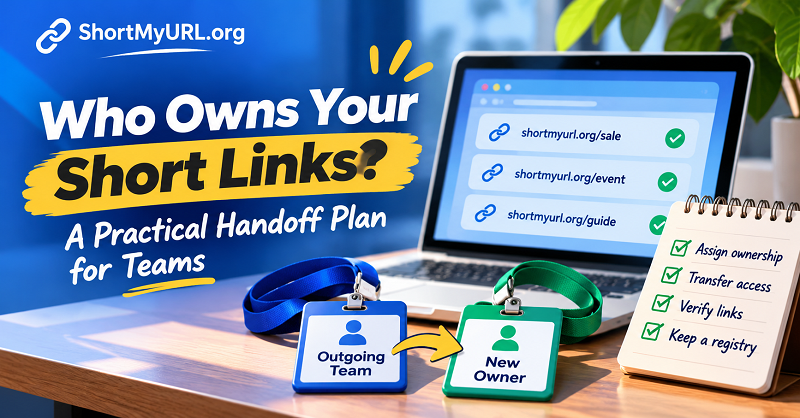
A Short Link Is a Business Asset, Not Just a Marketing Shortcut
Think about everything connected to a single shortened URL. There's the destination page, the account used to create it, the domain behind the link, the campaign it supports, and potentially a long trail of printed or published materials pointing toward it.
Changing one part can affect everything else.
For example, imagine your marketing team creates a short link for a product launch. The link appears in paid advertisements, influencer posts, QR codes, and printed brochures. Six months later, the employee responsible for the campaign leaves. Nobody knows which account contains the link or whether the company can still edit its destination.
The link may continue working perfectly. But the business has lost visibility and potentially control over an asset that still drives traffic.
A reliable url shortener should therefore be part of a company's shared workflow rather than an employee's personal toolkit. Link creation, account access, and ownership responsibilities should be managed with the same care as other important marketing resources.
There are three separate responsibilities worth distinguishing:
- Link creator: The person who originally generates the shortened URL.
- Link owner: The person responsible for its purpose, accuracy, and ongoing use.
- Account administrator: The person who manages platform access, permissions, and account-level settings.
These roles don't have to belong to three different people. In a small business, one person might handle all three. What matters is that everyone knows who is accountable.
The Three Ownership Gaps That Create Problems
Most link management problems don't start with broken technology. They start with missing information.
A company might have hundreds of active links and still struggle to answer basic questions about them. Three ownership gaps are particularly common.
1. Account Ownership: Is the Account Yours or Someone Else's?
An employee creates an account using a personal email address because it's quick and convenient. They start generating links for campaigns, and the rest of the team uses those links without thinking twice.
Everything works until that employee leaves.
Now the company may have no straightforward way to access the original account, review its settings, or manage the links stored there.
For business-critical accounts, use company-controlled email addresses whenever possible. Keep administrator access separate from individual employee accounts, and make sure at least one authorized company representative can manage essential settings.
Don't confuse having a working link with having access to the account that controls it.
2. Destination Ownership: Who Controls Where the Link Goes?
A shortened URL is only useful when it takes people to the right destination.
Consider a campaign link pointing to a promotional landing page. The promotion ends, the landing page gets removed, and nobody updates the shortened URL. Visitors now arrive at a dead page or an irrelevant destination.
This is a destination ownership problem.
Every important link should have an identifiable person or team responsible for the destination. That person doesn't necessarily need permission to edit the short link, but they should be responsible for confirming that the target page remains accurate and accessible.
A link owner and a website owner may be different people. Make that relationship clear instead of assuming someone will notice when a page disappears.
3. Domain Ownership: Who Controls the Domain Behind Your Links?
Custom domains give businesses more control over their branded links, but they also introduce another responsibility.
Someone needs to manage domain registration, DNS configuration, renewals, and the technical settings required to keep redirects working.
If the domain expires or its DNS records are changed unexpectedly, links using that domain may stop working.
Keep domain registration under company ownership whenever possible. Record the registrar, renewal date, DNS administrator, and recovery contact. Never let a critical business domain become dependent on an individual employee's personal account.
Build a Link Ownership Register
You don't need another expensive software subscription to get started. A shared spreadsheet can solve a surprising number of link management headaches, provided someone actually maintains it.
The goal isn't to document every random URL someone shares in a chat. Focus on links that have business value: campaign links, product links, QR code destinations, affiliate links, printed materials, and URLs used across important customer touchpoints.
A practical register should include the following information:
| Field | What to Record |
|---|---|
| Short URL | The shortened link currently in use |
| Destination URL | The full target address |
| Business Purpose | Campaign, product, event, or other purpose |
| Link Owner | Person responsible for the link |
| Account Admin | Person managing account access |
| Published Locations | Website, ads, email, packaging, QR codes |
| Created Date | When the link was generated |
| Last Verified | Most recent successful destination check |
| Status | Active, archived, or under review |
The Published Locations field deserves special attention. Knowing that a link exists is useful. Knowing where people are still encountering it is much more valuable.
For example, if a link appears on 5,000 printed product inserts, changing its destination requires a different level of attention than updating a link in an internal document.
A few practical rules make this register more effective:
- Store it in a company-controlled workspace rather than an employee's personal drive.
- Give editing permissions only to people who need them.
- Assign one primary owner to every important link.
- Review active records whenever a campaign ends or a team changes.
- Archive old records instead of deleting useful history.
The register should answer one question immediately: If the person who created this link disappeared tomorrow, could someone else take over without starting from zero?
The Handoff Framework: Before, During, and After a Team Change
Employee departures and agency transitions are predictable business events. Your link management process should account for them before they happen.
A handoff doesn't need to become a week-long project. It just needs to cover the right information.
Before: Identify What Needs to Be Transferred
Start by reviewing the links managed by the departing employee, freelancer, or agency.
Don't limit the review to links created recently. Some of the most important ones may be buried in older campaigns, printed materials, or evergreen content.
Collect the short URLs, their destinations, account information, current owners, and locations where they're published. Identify any custom domains or platform settings that require administrator access.
Also, separate business-critical links from temporary ones. A link printed on permanent packaging deserves more attention than a link shared in a one-day social media post.
During: Transfer Access and Responsibilities
The next step is making sure the right people can actually manage the assets.
Transfer account administration through the platform's supported procedures. Review user permissions, update recovery contacts where appropriate, and remove access that is no longer required.
For custom domains, confirm that the company retains control of the registrar and DNS settings. Don't assume that transferring a spreadsheet means the underlying technical access has been transferred too.
Most importantly, assign a new owner to each critical link. "The marketing department will handle it" isn't a useful assignment. A named person or clearly defined role is much better.
After: Verify Everything Works
A successful handoff isn't complete just because someone received a list of URLs.
The new owner should test the actual redirects, confirm that destinations load correctly, and verify access to the relevant accounts. Check important QR codes and campaign materials where practical.
If a link uses a custom domain, confirm that its configuration remains intact. If its destination has changed, test the updated redirect before relying on it in a live campaign.
Finally, update the ownership register. A handoff without updated documentation is simply a delayed version of the same problem.
Who Should Be Responsible for Each Part?
One person doesn't need to control every aspect of link management. In fact, separating responsibilities can make the process more reliable.
A simple responsibility matrix helps prevent the classic situation where everyone assumes someone else is handling the job.
| Responsibility | Marketing | IT | Agency | Business Owner |
|---|---|---|---|---|
| Create campaign links | Primary | Support | As assigned | Oversight |
| Approve link purpose | Primary | — | Support | Oversight |
| Manage account access | Support | Primary | Limited | Oversight |
| Maintain custom domain | — | Primary | Support | Oversight |
| Verify destinations | Primary | Support | As assigned | — |
| Maintain link register | Primary | Support | Contribute | Oversight |
| Approve ownership changes | Support | Support | — | Primary |
This is a starting point, not a universal organizational chart. A small company may have one marketing manager and an external IT provider. A larger organization may assign these responsibilities across several teams.
The important distinction is between doing the work and being accountable for the result.
For example, an agency may create and manage campaign links, but the client should retain appropriate access to business-critical accounts and domains. Outsourcing execution shouldn't mean outsourcing ownership.
What to Do When the Original Creator Is No Longer Available
Sometimes there is no proper handoff. An employee has already left, an agency is unresponsive, or the person who created a link simply cannot be contacted.
Don't start by changing everything. First, establish what the business still controls.
Begin with an inventory of known short links. Search campaign documents, email records, advertising accounts, social media posts, QR code assets, and shared spreadsheets. The goal is to identify which links remain publicly accessible and where they're being used.
Next, determine who controls the underlying accounts and domains. Check company email records, password management systems, domain registrar accounts, and available administrator records. Use official account recovery or ownership transfer procedures when access is missing.
Once access is established, classify each link by business importance:
- Critical: Used in active advertising, product packaging, customer communications, or major campaigns.
- Important: Used in evergreen content, partner materials, or recurring promotions.
- Low priority: Used in expired campaigns or internal documents with little ongoing value.
Review critical links first. Verify their destinations, check whether redirects are still functioning, and document the person who will take responsibility going forward.
One important warning: Don't delete an old link or create a replacement just because its ownership is unclear. The original URL may already exist in printed materials, search results, customer bookmarks, or third-party websites. Changing or removing it without understanding its usage can create a bigger problem than the one you're trying to solve.
If the original platform account cannot be recovered, assess what options remain before making changes. A replacement link does not automatically replace the original wherever it has already been published.
A 30-Minute Short Link Ownership Audit
You don't need to wait for an employee resignation or an agency contract to discover ownership problems. A short internal audit can reveal the biggest gaps before they turn into operational headaches.
Set aside 30 minutes and review your most important business links.
First 10 minutes: Find the assets.
Gather the short links currently used in active campaigns, websites, QR codes, emails, and printed materials. You don't need a perfect inventory on day one. Start with the links that could cause the most disruption if they stopped working.
Next 10 minutes: Check ownership.
For each link, identify its creator, current owner, account administrator, and destination owner. Mark anything that depends on a personal email address or an unknown account.
Final 10 minutes: Identify the gaps.
Look for missing access, unverified destinations, undocumented custom domains, and links without an assigned owner. Give each issue a responsible person and a deadline.
Use this simple audit table to record the results:
| Audit Question | Yes / No |
|---|---|
| Does every critical link have an assigned owner? | |
| Is the account controlled by the business? | |
| Can an authorized backup administrator access it? | |
| Is the destination documented and verified? | |
| Are custom domain settings documented? | |
| Do we know where the link is published? | |
| Is there a clear handoff procedure? |
A few unanswered questions aren't a reason to panic. They're a starting point for improving the system.
Repeat the audit periodically, especially after major campaign launches, employee departures, or changes in agency relationships. The frequency should reflect how heavily your organization relies on shortened links.
Every Link Needs an Owner
Short links are small pieces of infrastructure with surprisingly long lives. They can remain embedded in marketing campaigns, printed materials, and customer touchpoints long after the person who created them has moved on.
That's why link ownership shouldn't depend on memory, personal accounts, or informal arrangements.
Give important links a named owner. Keep records in a shared company-controlled location. Separate account administration from campaign responsibilities, and make access transfers part of every employee or agency handoff.
Most importantly, treat your links as assets that need ongoing attention, not tasks that are finished the moment someone clicks Save.
A good link management process doesn't just keep URLs working. It makes sure your business stays in control of where those URLs lead, who can manage them, and what happens when the people behind them change.