What Should You Put in a Short Link? Choose the Right URL
A short link can look perfect and still be the wrong link.
- Start With the Action, Not the URL
- The Shortest Link Can Still Be the Wrong Link
- Homepage, Landing Page, or Direct Page?
- The Destination Should Match the Moment
- A Good Short Link Removes a Decision
- The “One-Click Context” Test
- Don't Choose a Destination Just Because It's Easy to Find
- The Destination Comes Before the Short Link
- Think Like the Person Clicking
That sounds strange until you think about how people actually use the web. You might have a homepage, a product page, a signup form, a blog post, a contact page, and three different landing pages open in your browser. When someone asks for “the link,” it is tempting to grab whichever URL is easiest to find, shorten it, and send it.
Job done, right?
Not necessarily.
The real question isn't how short the URL can become. It's where the person should actually land after clicking it. Get that decision right, and shortening the URL becomes the easy part.
Start With the Action, Not the URL
Before copying a URL, ask one simple question:
What do I want this person to do after they click?
That question is surprisingly powerful.
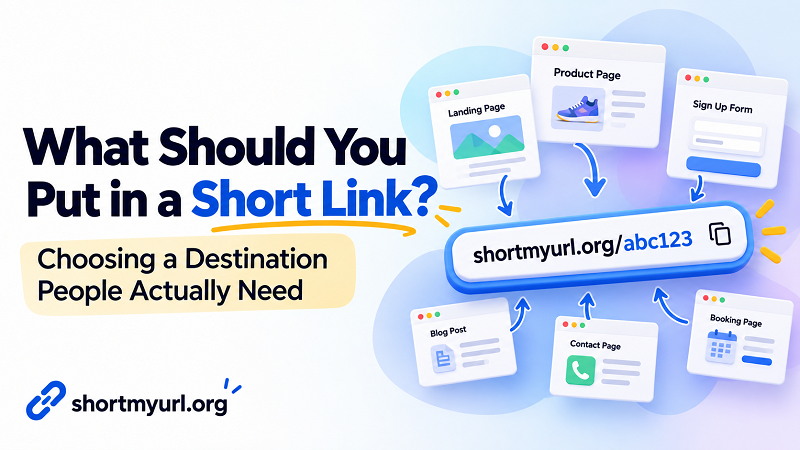
If you're promoting a product, the product page may make more sense than the homepage. If you're collecting registrations, sending people directly to the signup form is probably better than making them hunt through your website. If you're answering a customer's question, a specific help article beats a generic support page.
The destination should support the next action.
Think of a short link as the front door. The destination is what people find after walking through it. A nice-looking front door doesn't help much if it opens into the wrong room.
The Shortest Link Can Still Be the Wrong Link
Imagine you're sharing a new product with a customer.
You could send:
example.com
Or you could send:
example.com/products/new-widget
The first URL might be easier to recognize as a brand homepage. The second might take the customer directly to what they actually came to see.
Neither is inherently better. The right choice depends on the situation.
The mistake is assuming that the homepage is automatically the safest destination because it's familiar. A homepage often gives visitors several directions to choose from. A focused page removes that extra decision.
This matters even more when the person receiving the link already knows why you're contacting them. If you've just said, “Here's the registration form,” don't make them arrive at the homepage and start looking for registration.
Homepage, Landing Page, or Direct Page?
There isn't one universal winner. Each type of destination has a job.
- Use the homepage when the recipient needs to explore a brand or website broadly. This can make sense when introducing a business, sharing a website for the first time, or giving someone a general starting point.
- Use a landing page when you're trying to support a specific campaign, offer, event, or audience. The page can keep the message focused instead of sending visitors into a maze of navigation.
- Use a direct page when you already know exactly what the recipient needs. A product page, article, booking form, document, contact page, or registration form can remove unnecessary steps.
The key isn't picking the fanciest destination. It's matching the destination to the reason you're sharing the link.
The Destination Should Match the Moment
The same website can have completely different “best” links depending on where the link appears.
A link in a customer support conversation has a different job from one in a promotional campaign. A link printed on a business card has a different audience from one shared inside a team chat.
Picture a restaurant sharing its website.
For a general introduction, the homepage works nicely. For a reservation reminder, the booking page is probably more useful. For a special menu, sending visitors directly to the menu page saves them from searching for it.
Same business. Same domain. Completely different destinations.
This is why choosing a link should start with context, not convenience.
A Good Short Link Removes a Decision
Here's a useful way to judge a destination:
Does the visitor know what to do next?
If the answer is immediately obvious, you're probably on the right track.
If they have to figure out where to click, search through menus, scroll through unrelated content, or wonder whether they've arrived at the correct page, the destination may need another look.
Every unnecessary decision creates friction.
That friction might be tiny. Maybe it takes only five seconds to find the right button. But when someone is busy, distracted, using a phone, or coming from a message they didn't expect, those little obstacles add up.
A good link doesn't just transport someone to a website. It gets them closer to the thing they came for.
The “One-Click Context” Test
Before creating a short link, try this quick test.
Imagine you've never seen the website before. You receive the link with only the message that will accompany it.
Now click it.
Within a few seconds, can you answer:
- Why am I here?
- Is this what I expected?
- What should I do next?
If the answer is yes, you're probably using a sensible destination.
If you're staring at the page thinking, “Okay... now where do I go?”, don't blame the short link. The problem probably started one step earlier.
This little test is especially useful for links used in campaigns, customer messages, presentations, printed materials, and other situations where you don't control what the visitor does before clicking.
Don't Choose a Destination Just Because It's Easy to Find
Convenience is one of the sneakiest reasons people choose the wrong URL.
The homepage is usually easy to remember. Your browser history may have the exact page you need. A coworker may have sent you a link six months ago. Your CMS may show dozens of similar pages.
But “easy for me to find” and “useful for the person clicking” are two very different things.
Take an extra moment to think from the recipient's perspective.
What do they already know? What were they promised? What information are they expecting? What action should happen next?
Those questions are more valuable than simply asking which URL looks best.
The Destination Comes Before the Short Link
Once the destination is right, creating a compact URL is straightforward. You can shorten web address and turn that destination into a cleaner link that's easier to pass along in messages, campaigns, documents, or other places where a full URL isn't particularly pleasant to use.
But don't let the convenience of shortening rush the decision.
A short URL doesn't magically improve a poor destination. It simply makes the chosen destination easier to access.
That's actually good news. You don't need a complicated strategy. You just need to make one smart decision first: send people where they actually need to go.
Think Like the Person Clicking
The next time someone asks you for a link, resist the urge to immediately copy the first URL you see.
Pause for a second.
Ask what the recipient needs. Find the page that gets them there with the least confusion. Then create the short link.
That tiny change in thinking can make your links much more useful.
Because the best short link isn't necessarily the one with the fewest characters.
It's the one that gets the right person to the right place.