Short URL Generator: What to Check Before Creating a Short Link
Creating a short URL takes only a few seconds. Paste a long address, click a button, and there it is — a much cleaner link ready to share.
- Creating the link is the easy part
- First question: does the link actually go where it should?
- Look at the short URL itself
- Random code or custom alias?
- Check what happens during the redirect
- Does the link have a shelf life?
- Think about management before you create 100 links
- Do you actually need analytics?
- Do you need an account?
- Don't forget the original destination
- A better workflow for creating short URLs
- The most common mistake is choosing based on appearance alone
- One small test can save a lot of trouble
Easy, right?
Usually, yes. But there is a small trap here: people tend to judge a short URL by what they see immediately after it is created. If the link looks neat, the job feels finished. In reality, the more important questions come afterward. Does it redirect to the right page? Will it keep working? Is the alias easy to recognize? Can you manage it later if you create dozens of links?
A useful short URL is not simply a long URL with fewer characters. It is a link that remains practical once it leaves the generator and starts doing its actual job.
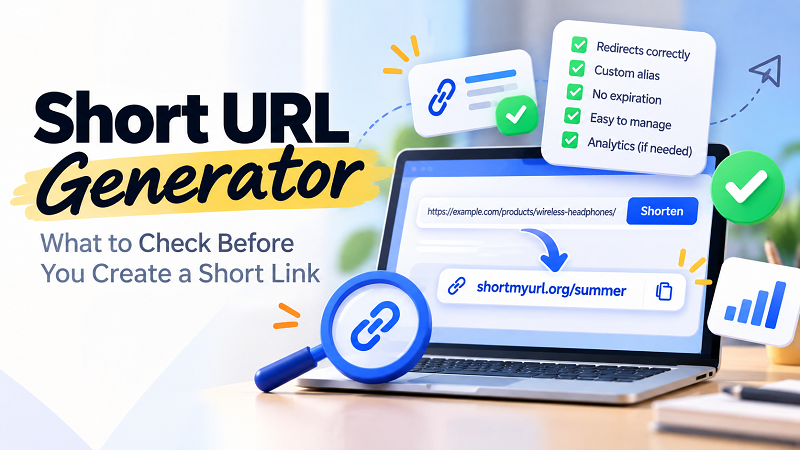
Creating the link is the easy part
Let's say you have a product page with an address like:
https://example.com/store/products/wireless-headphones/model-x200?utm_source=newsletter&utm_medium=email&utm_campaign=fall-promotion
You paste it into a generator and receive something like:
short.example/x7Kp2
Technically, mission accomplished.
But before sending that link to 500 customers, putting it on a poster, or adding it to a campaign, there are a few things worth checking. A short link is going to become another little piece of infrastructure in your workflow, so treating it like a disposable string of characters can cause headaches later.
First question: does the link actually go where it should?
This sounds obvious, but it is one of the easiest things to skip.
After generating a short URL, open it and verify the destination. Do not assume that because the generator accepted your original URL, everything is automatically perfect.
Check the page that loads. Make sure it is the intended page rather than the homepage, an error page, a login screen, or an outdated destination.
This becomes especially important when the original URL contains complicated parameters or when you are creating several short links in a row. Copying the wrong URL once can create a surprisingly convincing-looking short link that sends everyone somewhere completely different.
A five-second test is cheaper than explaining the mistake to everyone who clicked it.
Look at the short URL itself
Not every short link needs to be memorable. Sometimes a random code is completely fine.
If you are sending a one-off link to a friend, for example, nobody is likely to care whether the final characters are a8Q2x or summer-sale.
But the context changes when the link will appear on a poster, presentation, printed document, advertisement, or campaign material.
Compare:
short.example/a8Q2x
with:
short.example/summer
The second one immediately gives the reader some context. It is easier to recognize and potentially easier to communicate verbally.
This is where custom aliases can be useful. You do not need to force every link into a clever name, but when a link will be seen by lots of people, a meaningful alias can make the whole experience feel more deliberate.
Random code or custom alias?
There is no universal winner here. The right choice depends on what the link is doing.
A random short code is quick, neutral, and useful when the destination itself is the important part. It is also perfectly adequate for links shared privately or links that do not need to be remembered.
A custom alias makes more sense when people will see the link without immediately clicking it. Think event registration, a campaign landing page, a menu, a portfolio, or a printed advertisement.
There is also a branding consideration. A recognizable ending can make several links easier to organize mentally:
short.example/event
short.example/menu
short.example/contact
That little bit of structure can become surprisingly useful once you have more than a handful of links floating around.
Check what happens during the redirect
A short URL works by sending the visitor from the short address to the original destination. That redirect is the invisible part of the experience, and invisible things are easy to ignore until they stop working.
Test the link on more than one device when the link matters. Open it on a phone and a desktop browser. If it is intended for customers, test it before publishing it publicly.
You do not necessarily need a giant testing procedure. The point is simply to catch obvious problems while you still have the opportunity to fix them.
A link that works perfectly on your computer but behaves unexpectedly elsewhere is not particularly useful.
Does the link have a shelf life?
This question matters more than it first appears.
Some short URLs are created for a temporary purpose: a weekend event, a limited promotion, a presentation, or a quick experiment. Others end up printed on business cards, packaging, posters, or documents that remain in circulation for months or even years.
Those two situations have very different requirements.
Before relying heavily on a generated link, understand whether the service places expiration limits on links. If a link is going to appear on something permanent, you probably do not want its usefulness to depend on an unexpectedly short lifespan.
This is one of those details that is boring right up until the day it becomes extremely important.
Think about management before you create 100 links
One short URL is easy to remember.
Twenty are manageable.
A hundred? Now you have a system whether you intended to create one or not.
This is why link management becomes increasingly important as your collection grows. If you create separate links for campaigns, products, events, social profiles, documents, and offline materials, you need some way to keep track of what each one does.
A simple naming convention can help. You might organize aliases around the purpose of the link rather than inventing random names every time.
For example:
- short.example/summer
- short.example/menu
- short.example/signup
- short.example/event
The exact naming system does not matter nearly as much as consistency. Future-you will appreciate it.
Do you actually need analytics?
Not every link needs click statistics.
If you are sending a friend an article, analytics may be completely irrelevant. If you are running a marketing campaign, however, knowing whether people are clicking can be useful.
Before choosing a generator, think about what you expect to learn from the link.
Are you simply trying to make an address easier to share? Then simplicity may be enough.
Are you distributing links through campaigns, promotions, or multiple channels? In that case, click tracking and link management may become useful parts of the workflow.
The important thing is to decide this before building your entire process around a tool. Adding requirements later can be much more annoying than considering them at the beginning.
Do you need an account?
This is another small detail that can have a big impact on how you work.
For a one-off link, creating an account may feel unnecessary. You just want the short URL and want to move on with your day.
For ongoing projects, an account can make management easier because you may want to find your links again, organize them, monitor performance, or update your workflow later.
Neither approach is automatically right for everyone. It comes down to how often you create short links and whether you need to manage them after creation.
The best tool is often the one that fits the job without adding unnecessary friction.
Don't forget the original destination
There is an easy mistake people make after creating a short link: they save the short version but forget what it points to.
That becomes inconvenient six months later.
Imagine opening a spreadsheet full of entries like:
short.example/A7k2
short.example/B9p4
short.example/C1m8
Without any notes, you now have a small mystery collection.
A basic record containing the short URL, destination, purpose, and creation date can make future management much easier. This is particularly useful for businesses and marketers running multiple campaigns.
You do not need complicated software. Even a simple spreadsheet can turn a messy pile of links into something understandable.
A better workflow for creating short URLs
Instead of thinking of link generation as a single click, treat it as a tiny four-step workflow.
- 1. Prepare the destination. Make sure you copied the correct URL and that the destination page is ready.
- 2. Create the short link. Choose a random code or custom alias depending on where the link will be used.
- 3. Test it. Open the generated URL and confirm that the redirect lands on the intended page.
- 4. Record it if it matters. If the link will be used repeatedly, keep a note of its destination and purpose.
That is it. No complicated process. Just enough discipline to prevent small mistakes from becoming larger ones.
The most common mistake is choosing based on appearance alone
A beautifully short link can still be a bad link.
It may point to the wrong page. It may be difficult to manage. It may not suit a printed campaign. It may expire when you least expect it. Or it may work perfectly today but create confusion when you have fifty more links six months from now.
The visual appearance of a short URL is only one piece of the puzzle.
Reliability, destination accuracy, usability, longevity, and management matter too.
When comparing a short url generator, look beyond the moment when the shortened address appears on your screen. Think about what happens when someone clicks it, when you need to share it again, and when your collection of links starts growing.
One small test can save a lot of trouble
There is a useful habit worth adopting: never publish a newly created short URL immediately.
Open it first.
Look at the destination.
Try it on the device your audience is likely to use.
If the link is going into print, check every character.
If it is part of a campaign, make sure you know what you are measuring.
And if it is going to be used for months, understand how the link will be managed over time.
None of these steps is complicated. They simply move the focus from “Did I create a short URL?” to the much more useful question:
“Did I create a short URL that is ready to use?”
That distinction may take only a few extra seconds, but it can save you from a lot of unnecessary cleanup later.
A good short link should disappear into the background once it is doing its job. The visitor clicks, the correct page opens, and nobody has to think about the machinery behind it.
That is the real goal: not merely creating a shorter URL, but creating a link that behaves exactly the way you expect.