Short Link Clicks vs. GA4 Sessions: Why Numbers Differ
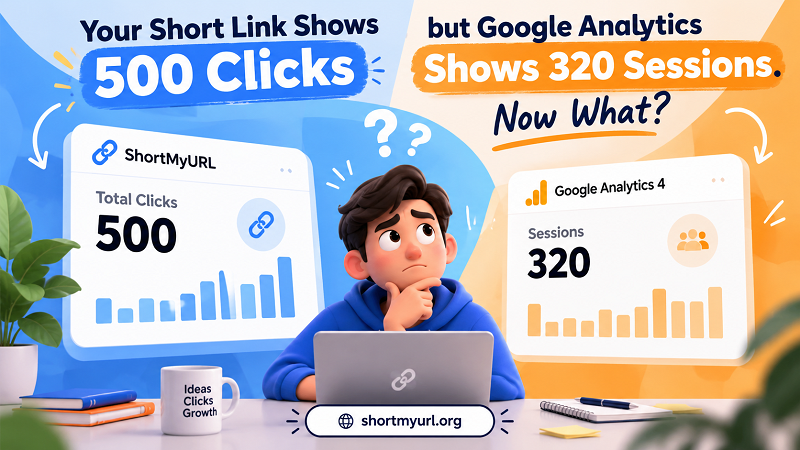
Your campaign report looks great at first glance. The short link has collected 500 clicks, traffic seems to be moving, and your team is ready to celebrate. Then you open Google Analytics 4 (GA4), and the numbers tell a different story: only 320 sessions.
- Two Dashboards, Two Different Moments in the Customer Journey
- Where Could the Missing 180 Sessions Have Gone?
- The Page Never Finished Loading
- Analytics Didn't Get a Chance to Run
- Automated Requests Inflated the Click Count
- Several Clicks Became One Session
- Redirects Complicated Campaign Attribution
- A Campaign Report That Looks Wrong but May Be Telling the Truth
- Which Number Belongs in Your Marketing Report?
- When Is the Gap Normal, and When Should You Investigate?
- Build Reports That Answer Business Questions
Suddenly, that successful campaign looks suspicious. Did 180 visitors disappear? Is your tracking broken? Are people clicking without actually visiting your website?
Take a breath before blaming your analytics setup. Link clicks and website sessions measure different things. They happen at different points in the visitor journey, follow different counting rules, and answer different questions. When you understand that distinction, the gap between your reports becomes much easier to interpret—and far less likely to send your marketing decisions off course.
Two Dashboards, Two Different Moments in the Customer Journey
A short link and GA4 don't watch the same event. A link tracking system may record a click when someone requests a shortened URL. GA4 generally records a session when activity on your website meets its session measurement rules and the necessary analytics events are collected.
Think of the process as a relay race. The short link records the beginning of the journey, while GA4 measures activity further down the track. A visitor can start that journey without generating a corresponding analytics session.
Here's what the journey can look like:
- Someone clicks a short link in an email, social post, advertisement, or message.
- The short-link service receives the request and records it according to its tracking rules.
- The browser or app follows the redirect to the destination page.
- The destination page begins loading and attempts to initialize its analytics code.
- GA4 collects the relevant events and associates them with a session when its measurement conditions are met.
There are several places where these events can diverge. The destination page might load slowly. The visitor might close the tab before analytics initializes. A browser setting might prevent certain tracking requests. Alternatively, multiple clicks could occur during a single GA4 session.
The important distinction is simple: a click indicates interaction with a link under the shortener's measurement rules; a session indicates activity recorded by GA4 under its own rules. Neither metric automatically represents the total number of unique people who saw your campaign.
Where Could the Missing 180 Sessions Have Gone?
Let's return to the example: 500 recorded clicks and 320 GA4 sessions. The difference is 180, but that number alone doesn't tell us what happened. Several scenarios could explain some or all of the gap, and more than one may be operating simultaneously.
The Page Never Finished Loading
A visitor clicks a link, waits briefly, and gives up. The short-link service may already have recorded the request, but the destination page never loads far enough for GA4 to collect the events needed to establish a session.
This is especially relevant for slow landing pages, unstable mobile connections, and campaigns reaching visitors in regions with inconsistent connectivity. Your click report may capture the attempt even when the visit never becomes a measurable website session.
Analytics Didn't Get a Chance to Run
A page can load without successfully sending analytics data. JavaScript errors, incorrect tag configuration, consent choices, browser privacy features, and tracking blockers can all affect collection.
That doesn't mean every visitor using an ad blocker disappears from every report, nor does it mean consent settings always prevent measurement. The outcome depends on the implementation, user settings, applicable consent requirements, and the data being collected.
Automated Requests Inflated the Click Count
Security scanners, messaging platforms, email protection systems, link preview generators, and other automated services may request URLs before a person actually visits them. Whether these requests appear in your short-link statistics depends on the provider's filtering and counting rules.
For example, an email security system might inspect a link when a message arrives. The click report could increase even though the recipient hasn't opened the destination page. Some shorteners filter known bots or suspicious traffic; others may classify requests differently.
Don't automatically label every unexplained click as a bot. Instead, examine the provider's definition of a click, available filtering options, timestamps, and traffic patterns.
Several Clicks Became One Session
A person might click the same campaign link more than once while browsing your website. If those interactions occur within a single GA4 session, the click count can rise without an equivalent increase in sessions.
GA4 sessions are not a simple counter for every page load or link interaction. Session creation and continuation follow analytics rules, including session timeout behavior. Consequently, 500 clicks do not necessarily mean 500 separate visits, even when every click comes from a real person.
Redirects Complicated Campaign Attribution
Redirects can also affect how campaign information reaches the destination website. If tracking parameters are missing, overwritten, or dropped during the journey, GA4 may record the visit without assigning it to the campaign or source you expected.
The session might still exist; it could simply appear under a different traffic source or campaign grouping. That's a reporting problem worth investigating, but it is not the same as a missing session.
A Campaign Report That Looks Wrong but May Be Telling the Truth
Imagine a marketing team running a newsletter campaign with a shortened link. After sending the newsletter, the team sees these illustrative results:
| Metric | Reported result |
|---|---|
| Short-link clicks | 500 |
| GA4 sessions | 320 |
| Difference | 180 |
| Sessions as a share of clicks | 64% |
These numbers are hypothetical and are used only to demonstrate the calculation. They are not real ShortMyURL.org campaign data.
At first glance, the 64% ratio might look like a conversion rate, but it isn't. It simply expresses the relationship between the number of recorded sessions and recorded clicks in this example. It does not reveal how many people purchased a product, subscribed to a newsletter, or completed another valuable action.
It also doesn't prove that the remaining 36% of clicks were fraudulent, that the website lost 180 visitors, or that GA4 is malfunctioning. Those conclusions require additional evidence.
Suppose the landing page has a slow load time and the campaign is distributed through an email platform that scans links automatically. Both factors could contribute to the discrepancy. However, without further investigation, assigning a specific number of missing sessions to either cause would be guesswork dressed up as analysis.
A better approach is to investigate the relationship between the metrics. Compare the campaign's click and session patterns over time, inspect the landing page's analytics implementation, and check whether the gap appeared suddenly or has been consistent across campaigns.
Context turns an alarming discrepancy into a useful diagnostic signal.
Which Number Belongs in Your Marketing Report?
There is no universal winner between link clicks and GA4 sessions. The right metric depends on the question you're trying to answer.
If you're measuring link engagement, start with click data. A short-link dashboard can help you understand how often a link was requested, compare links across placements, and observe changes in activity. Before comparing results, confirm how the service defines clicks and handles automated traffic.
If you're evaluating website traffic, use GA4 sessions alongside other relevant analytics metrics. Sessions help describe recorded visits, while users, landing-page views, engagement, and traffic-source dimensions provide additional context. No single metric captures the entire customer journey.
If you're judging business performance, look beyond both numbers. Purchases, qualified leads, registrations, downloads, and other meaningful conversions tell you whether the campaign achieved its goal. A link with fewer clicks can still outperform a popular link if it attracts more relevant visitors who complete the desired action.
This is also where consistent link organization matters. A url shortener free can help you create manageable campaign links and review their click activity without confusing long destination URLs with the data you use to evaluate outcomes. Pair that information with properly configured website analytics to build a more complete picture.
For campaign reporting, keep the metrics separate and give each one a clear definition. That makes your reports easier to explain to teammates, clients, and stakeholders—and prevents a high click count from being mistaken for business success.
When Is the Gap Normal, and When Should You Investigate?
A difference between clicks and sessions is not automatically a warning sign. What matters is the size of the difference in context, whether it changes unexpectedly, and whether other evidence points to a measurement issue.
Start by comparing equivalent reporting periods. Check that the short-link report and GA4 report cover the same dates and time zones, and verify that you're examining the correct destination page and campaign. A mismatch in reporting windows can create an apparent discrepancy before any technical issue enters the picture.
Next, look for changes rather than chasing a supposedly perfect ratio. If your campaigns have historically shown similar patterns but the latest one suddenly records many clicks and almost no sessions, investigate the landing page, redirects, analytics tags, consent behavior, and traffic quality. If the pattern is stable across multiple campaigns, it may reflect the way your audiences, channels, and tracking systems behave.
Also check whether campaign parameters survive the redirect and whether GA4 attributes sessions to the expected source and campaign. A traffic-source discrepancy may indicate an attribution issue rather than a failure to record the session itself.
Avoid applying a universal acceptable-gap percentage. Different channels, devices, audiences, page speeds, privacy settings, and click-filtering rules can produce very different relationships between these metrics. A benchmark that makes sense for one campaign may be misleading for another.
Build Reports That Answer Business Questions
The goal isn't to force two dashboards to display the same number. It's to understand what each system measures and use that information to make better decisions.
When a short link reports 500 clicks and GA4 reports 320 sessions, treat the difference as a starting point for investigation—not proof of failure. Determine whether the gap comes from visitor behavior, automated requests, analytics collection, session counting, attribution, or a combination of factors.
Then connect traffic measurements to the outcome that actually matters. If your goal is sales, examine purchases and revenue. If you're generating leads, evaluate qualified submissions. If you're distributing educational content, look at engagement and the actions readers take afterward.
Good marketing analytics isn't about making every number match. It's about knowing what each number means, recognizing what it cannot tell you, and making decisions based on the full picture. Once your team adopts that mindset, mismatched reports become less of a headache and more of an opportunity to understand the customer journey.