I Need to Shorten My URL for Free - What Should I Check?
Sometimes a URL is just… ridiculously long. You copy a product page, a blog post, a form, or a campaign link, and suddenly your message looks like a paragraph made entirely of random letters, numbers, and symbols. You could send it as-is, but it is ugly, difficult to read, and not exactly something you want to paste into a social post or presentation.
- Start With the URL You Already Have
- Free Is Great. “Free but Limited” Is Another Story.
- Will Shortening the URL Break My Link?
- Don't Throw Away Your Tracking Data
- Where Short URLs Actually Make Life Easier
- A Tiny Checklist Before You Share
- Keep the Process Simple
That is usually when the thought appears: “Can I just shorten this URL for free?”
Yes. But there is a little more to it than making a long link look shorter.
Start With the URL You Already Have
Before shortening anything, take a quick look at the original link. Is it simply a long page address, or does it contain extra information after a question mark?
For example, you might have something like:
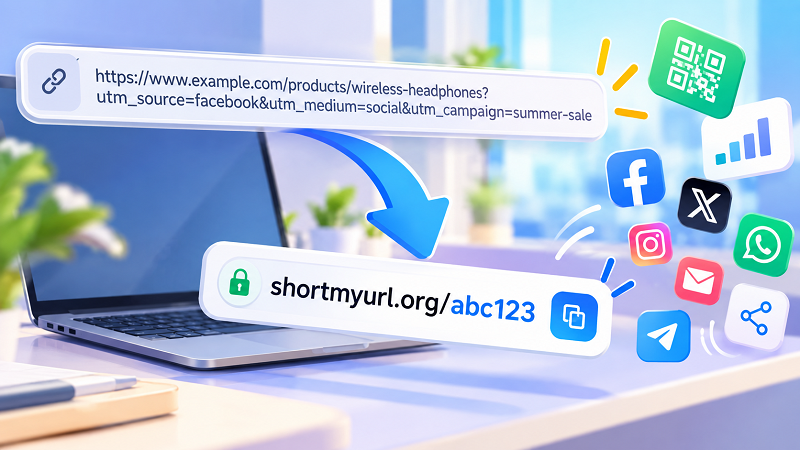
example.com/products/wireless-headphones?utm_source=facebook&utm_medium=social&utm_campaign=summer-sale
The first part tells the browser where to go. The parameters after the ? may contain tracking information used to understand where visitors came from or which campaign generated the click.
That distinction matters.
A shorter URL should make the link easier to share without accidentally removing information that you actually need. If your URL contains campaign tracking, referral information, or other important parameters, don't delete those details simply because they make the original link look messy.
The goal is not to make the destination URL prettier. The goal is to create a cleaner way to reach the same destination.
Free Is Great. “Free but Limited” Is Another Story.
There are plenty of URL shorteners around, but “free” can mean different things depending on the service.
Before using one, it is worth checking a few basic details. Do you need to create an account? Are there limits on how many links you can create? Do shortened links expire after a certain period? Can you choose a custom alias? Does the service provide click statistics or QR codes?
You do not necessarily need every feature.
If you only need to turn a long URL into something compact for a message, a simple free shortener may be all you need. On the other hand, if you are sharing links for a business campaign, being able to understand clicks or keep links active permanently can become much more important.
In other words, don't choose a tool because the word “free” is sitting in a giant button. Check what happens after you create the link.
Will Shortening the URL Break My Link?
This is one of those small worries that makes sense. If you replace the original URL with a completely different-looking address, it is natural to wonder whether the destination page is still intact.
A URL shortener generally works by creating a short address that redirects visitors to the original URL. Someone clicks the short link, the service processes the request, and the visitor is sent to the destination you specified.
The important part is testing the result.
Open the shortened link yourself before putting it on a flyer, sending it to hundreds of people, or dropping it into a social media campaign. Make sure it reaches the expected page and that the page loads normally.
Thirty seconds of checking can save you from discovering later that the wrong URL was shortened.
Don't Throw Away Your Tracking Data
Here is where things get slightly more interesting.
Marketing links often contain UTM parameters such as utm_source, utm_medium, and utm_campaign. They can make a URL look absurdly long, but they serve a purpose.
Imagine you create a campaign link for Facebook. If you remove the tracking parameters before shortening the URL, you may end up with a wonderfully clean short link and absolutely no campaign data attached to the destination.
That's not a great trade.
Instead, keep the original URL intact and shorten that complete address. The short link becomes the convenient public-facing version, while the destination still contains the information your analytics system needs.
This is particularly useful when you are sharing the same page through different channels and want to understand which source generated the traffic.
Where Short URLs Actually Make Life Easier
A short URL is not just about aesthetics.
A compact link is easier to type, easier to remember, and much less awkward when space is limited. Think about a social media profile, a printed poster, an email signature, a presentation slide, a text message, or a QR code.
It also makes links easier to communicate verbally. Try reading a long URL containing five tracking parameters to someone over the phone. Now try doing the same thing with a short, recognizable link. One of these experiences is considerably less painful.
For printed materials, the difference can be even more noticeable. A huge URL can wrap across lines or become difficult to read. A short link gives the design more breathing room and leaves less room for someone to mistype it.
A Tiny Checklist Before You Share
Before publishing your shortened URL, run through a few quick checks.
- Does it open the correct page? Test it from a normal browser.
- Did you preserve important parameters? If the original URL contained tracking or referral information, make sure it is still part of the destination.
- Will the link remain available? If the link is going on something permanent, such as printed packaging or a business card, expiration is worth checking.
- Is the short address easy to recognize? A random string may work perfectly well, but a meaningful custom alias can be easier for people to understand and remember.
- Does the service provide the features you actually need? Don't choose a complicated platform when all you wanted was a simple short link.
These checks take almost no time, but they separate a useful short URL from one that creates problems later.
Keep the Process Simple
You don't need a marketing degree or a complicated dashboard just to make a URL shorter. If the goal is simply to turn an unwieldy web address into something cleaner and easier to share, a straightforward free tool can do the job.
If that is exactly what you came here to do, you can shorten my url for free and turn a long web address into a compact link without making the process unnecessarily complicated.
The trick is to think about the destination first, not just the number of characters. Keep the information that matters, test the result, and then share the shorter version wherever you need it.
A good short URL should feel almost invisible. People click it, reach the right page, and never have to think about how messy the original link was.