How to Shorten a URL: Turn Any Long Link Into a Short Link
Some URLs are short enough to read at a glance.
- Why Would You Want to Shorten a URL?
- Short Links Are Easier to Share
- Short Links Are Easier to Remember
- Short Links Look Cleaner
- How to Shorten a URL
- Step 1: Find the URL You Want to Shorten
- Step 2: Open a URL Shortening Tool
- Step 3: Paste Your Long URL
- Step 4: Generate Your Short Link
- Step 5: Copy and Share It
- Don't Try to Shorten a URL by Randomly Deleting Characters
- Use a Shortener Instead
- What Does a Shortened URL Look Like?
- How to Create a More Memorable Short Link
- Use Short, Relevant Words
- Avoid Making the Alias Too Clever
- Check Your Link Before Sharing
- Can You Shorten a URL Without Changing Its Destination?
- What Happens After Someone Clicks Your Short Link?
- Where Should You Use a Short URL?
- Social Media Posts
- Text Messages
- Presentations
- Printed Materials
- When Should You Keep the Original URL?
- How to Choose a URL Shortening Service
- Simple Link Creation
- Custom Aliases
- Click Analytics
- QR Codes
- Link Management
- How to Shorten a URL for Free
- Common URL Shortening Mistakes to Avoid
- Sharing the Link Without Testing It
- Using an Unclear Custom Alias
- Forgetting Where You Used the Link
- Shortening Suspicious URLs
- Frequently Asked Questions
- How do I shorten a URL?
- How can I shorten a URL for free?
- Can I shorten a URL without changing the original webpage?
- Can I shorten a URL manually?
- Can I customize a shortened URL?
- Can I use a shortened URL on social media?
- Can I use a short URL on printed materials?
- Do shortened URLs work on phones?
- Final Takeaway
Others look like they’re trying to tell you their entire life story.
A web address can get ridiculously long when it includes folders, product names, search terms, tracking parameters, and other information. It may work perfectly well in your browser, but that doesn't mean it's pleasant to share.
So, how do you shorten a URL?
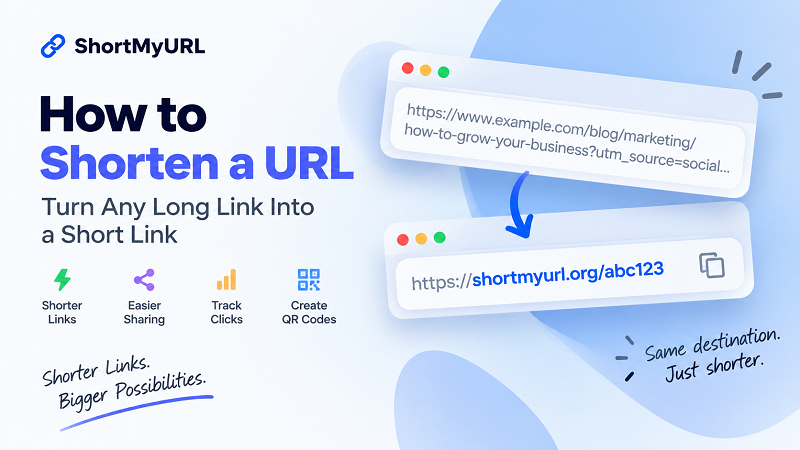
The easiest way is to use a URL shortening tool. You paste the original web address, generate a short link, and share the new URL instead.
The best part? You don't have to change the original webpage.
Let's walk through exactly how it works.
Why Would You Want to Shorten a URL?
Before jumping into the how-to, let's talk about why you'd bother.
A long URL isn't necessarily a bad URL. In fact, many long addresses contain useful information for websites and tracking systems.
The problem is that they're often awkward for humans.
Imagine trying to send this in a text message:
https://www.example.com/blog/marketing/social-media/how-to-build-a-content-strategy?utm_source=instagram&utm_medium=social&utm_campaign=summer
It works.
But it's ugly.
A short link is much easier to drop into a message, post, email, presentation, or printed piece of content.
Short Links Are Easier to Share
A compact URL takes up less space and is easier to copy and paste.
That's useful when you're sharing links through:
- Social media
- Text messages
- Online communities
- Presentations
- Digital campaigns
- Printed materials
Instead of making your audience deal with a huge string of characters, you give them one simple link.
Short Links Are Easier to Remember
A long URL usually isn't something people want to memorize.
A short link—especially one with a meaningful custom ending—can be much easier to recognize.
For example:
shortmyurl.org/event
is easier to remember than a long URL containing multiple folders and parameters.
Short Links Look Cleaner
Sometimes, the biggest advantage is simply visual.
A clean short URL can make a post, flyer, presentation, or message look more organized.
Your link should support your content—not become the content.
How to Shorten a URL
Now for the part you actually came here for.
You can shorten a URL in just a few steps.
Step 1: Find the URL You Want to Shorten
Open the webpage you want to share.
Once you're on the correct page, click the address bar in your browser.
You'll see the full web address.
For example:
https://www.example.com/products/category/item-name
Copy the entire URL.
Quick tip: If the address is very long, make sure you copy all of it. Accidentally leaving out part of a URL can send visitors somewhere unexpected—or nowhere at all.
Step 2: Open a URL Shortening Tool
Next, open a service that creates short links.
Look for a tool where you can paste your original URL and generate a shorter version.
You don't need to install software or modify your website.
The shortening happens through the service.
Step 3: Paste Your Long URL
Paste the URL you copied into the shortening tool.
At this point, you don't need to manually remove characters, folders, numbers, or parameters.
Just use the complete destination URL.
The service will handle the conversion.
Step 4: Generate Your Short Link
Click the button to create the short URL.
The tool generates a compact address associated with your original destination.
For example:
Original
https://www.example.com/blog/how-to-start-a-small-business-online
Short
shortmyurl.org/start
Depending on the service, the ending may be automatically generated or you may be able to choose a custom alias.
Step 5: Copy and Share It
Once your short link has been created, copy it.
Now you can paste it into your:
- Instagram or social media content
- Text message
- Blog post
- Presentation
- Advertisement
- Flyer
- Business card
That's the entire process.
Copy → Paste → Shorten → Share
No complicated setup required.
Don't Try to Shorten a URL by Randomly Deleting Characters
This is an important one.
If you have a long URL, you might be tempted to simply delete pieces of it until it looks shorter.
Don't.
A URL isn't just a sentence where you can remove a few words and hope everyone understands what you meant.
Different parts of a URL can serve different purposes.
For example:
https://example.com/products/shoes?color=black&size=10
The parameters after the ? may affect what the website displays.
Other URLs may use parameters for searches, filters, sessions, campaigns, or other functions.
If you randomly delete part of the address, you may change its behavior or break it entirely.
Use a Shortener Instead
A URL shortening service creates a new short address that points to the original one.
You're not editing the original URL.
You're creating a shortcut.
That's a much cleaner solution.
What Does a Shortened URL Look Like?
A shortened URL usually has two basic parts:
Domain + short identifier
For example:
shortmyurl.org/x7k92
The first part is the shortening service's domain.
The second part identifies the particular short link.
Some services allow you to customize that second part.
For example:
shortmyurl.org/summer
instead of:
shortmyurl.org/x7k92
The exact format depends on the service you're using.
How to Create a More Memorable Short Link
If your URL shortening tool supports custom aliases, you don't always have to settle for a random combination of letters and numbers.
A descriptive ending can make a link easier to recognize.
Use Short, Relevant Words
Good custom endings are usually:
- Easy to spell
- Easy to pronounce
- Easy to remember
- Relevant to the destination
For example:
shortmyurl.org/menu
is immediately understandable.
Something like:
shortmyurl.org/a8F3x9Q
is less memorable.
Avoid Making the Alias Too Clever
This is one place where simplicity wins.
Don't create an alias so cryptic that nobody understands it.
If your campaign is called "Summer Sale," something like:
shortmyurl.org/summer
is probably more useful than an inside joke that only your marketing team understands.
Check Your Link Before Sharing
Always test a newly created short link.
Open it in a browser and make sure it reaches the page you intended.
It takes a few seconds and can save you from discovering a broken link after you've already printed 500 flyers.
Can You Shorten a URL Without Changing Its Destination?
Yes.
That's one of the main reasons URL shortening exists.
Suppose the original address is:
https://www.example.com/resources/guide-to-digital-marketing
You create:
shortmyurl.org/marketing
The short URL can redirect visitors to the original page.
The webpage itself hasn't moved.
You haven't duplicated the content.
You haven't renamed the original page.
You've simply created another route to it.
What Happens After Someone Clicks Your Short Link?
You don't need to understand the technical details to use a short link, but the basic idea is useful to know.
When someone clicks the shortened address, the shortening service identifies the destination associated with that link and redirects the visitor there.
The experience is essentially:
Click short link → Redirect → Original page
For the visitor, the process usually happens quickly.
They click the short address and end up on the webpage you intended to share.
Where Should You Use a Short URL?
There are plenty of situations where shortening a link makes practical sense.
Social Media Posts
A short link can keep your content cleaner and easier to scan.
This is useful when the URL is displayed directly rather than hidden behind linked text.
Text Messages
Long URLs can look especially awkward on mobile devices.
A shorter address is easier to read, copy, and send.
If you're sharing a raw URL in an email, a short version can make the message look much cleaner.
Presentations
Ever tried typing a 100-character URL from a presentation slide?
Exactly.
A short link is much more practical when an audience has to enter it manually.
Printed Materials
Short URLs work particularly well on:
- Flyers
- Posters
- Business cards
- Brochures
- Menus
- Event signs
- Promotional materials
The fewer characters someone has to type, the better.
When Should You Keep the Original URL?
Shortening isn't always necessary.
If your original URL is already:
- Short
- Readable
- Easy to type
- Easy to recognize
there may be no reason to replace it.
For example:
example.com/contact
is already pretty clean.
Turning that into another short link may not provide much benefit.
The goal isn't to make every URL shorter.
The goal is to make inconvenient URLs easier to share.
How to Choose a URL Shortening Service
If you're going to use short links regularly, don't choose a service based only on how small the URL looks.
Consider what you'll actually need.
Simple Link Creation
If all you need is a shorter URL, the process should be quick and straightforward.
You shouldn't need a 20-minute tutorial just to create a link.
Custom Aliases
If memorable links are important to you, look for support for custom endings.
Click Analytics
If you're sharing links for marketing or campaigns, analytics can help you understand how much activity your links receive.
QR Codes
If you use short links in printed or offline campaigns, QR code support can be useful.
Link Management
If you're creating lots of links, management tools can make it easier to keep everything organized.
You don't necessarily need every feature.
Pick the capabilities that match what you're actually trying to accomplish.
How to Shorten a URL for Free
If you just need to turn a long web address into a short, shareable link, you can use a free URL shortener.
With ShortMyURL, you can paste your destination URL, create a short link, and use it wherever you need to share the original page.
You can also create custom links, track clicks, generate QR codes, and manage your shortened links.
Create a short link with ShortMyURL.
Common URL Shortening Mistakes to Avoid
Shortening a URL is easy, but a few small mistakes can cause unnecessary headaches.
Sharing the Link Without Testing It
Always click your newly created short URL before distributing it.
Make sure it reaches the correct destination.
Using an Unclear Custom Alias
If you're able to customize the link, don't make the ending unnecessarily complicated.
Short and recognizable usually beats clever and confusing.
Forgetting Where You Used the Link
If you're creating lots of short links, keep track of what each one points to.
This becomes especially important when you're running multiple campaigns.
Shortening Suspicious URLs
A shorter link doesn't make a questionable destination trustworthy.
Before creating a short link, make sure the original destination is legitimate.
Frequently Asked Questions
How do I shorten a URL?
Copy the web address you want to share, paste it into a URL shortening tool, generate the short link, and copy the result.
How can I shorten a URL for free?
Use a free URL shortening service. Paste your long URL into the tool and generate a shorter version.
Can I shorten a URL without changing the original webpage?
Yes. A short URL can redirect visitors to the existing webpage without changing the destination itself.
Can I shorten a URL manually?
You can sometimes simplify certain URLs, but randomly deleting parts of an address can break the link or change its behavior. Using a URL shortening service is generally a safer and simpler approach.
Can I customize a shortened URL?
Some URL shortening services allow you to choose a custom ending, provided the alias is available.
Can I use a shortened URL on social media?
Yes. Short links can be useful for social media posts, profiles, campaigns, and messages.
Can I use a short URL on printed materials?
Yes. Short URLs are particularly useful on flyers, posters, business cards, presentations, and other materials where someone may need to type the address manually.
Do shortened URLs work on phones?
Yes. A short URL can generally be opened on smartphones and other internet-connected devices as long as the short link and destination are accessible.
Final Takeaway
Making a long URL shorter is much easier than trying to edit the URL yourself.
You don't need to remove random characters or rebuild the original web address.
Just:
Copy the URL → Paste it into a shortening tool → Generate your short link → Test it → Share it
For everyday sharing, a good short link can make your content cleaner, easier to remember, and much less annoying to type.
And when a URL is already short and readable?
Leave it alone.
Not every URL needs a haircut.