How to Share a Website Link Without a Clickable URL
Sometimes, sharing a website is ridiculously easy. You paste the URL into a chat, hit send, and you're done. But what happens when there is nowhere to click? Maybe you're standing in front of a room giving a presentation, talking to someone on the phone, showing a website on a TV, or streaming from a screen that your audience can see but can't interact with. Suddenly, that innocent little URL becomes a problem. You could read it aloud, ask everyone to type it manually, or hope they remember enough of it to find the right page later. None of those options exactly scream “smooth user experience.” The good news is that you have several better ways to move people from a screen, conversation, or physical space to your website.
- When a Normal Clickable Link Isn't an Option
- 5 Practical Ways to Share a Website Without a Clickable Link
- 1. Say the URL Out Loud
- 2. Put a Short URL on the Screen
- 3. Turn the URL Into a QR Code
- 4. Share the URL Through a Messaging Channel
- 5. Use Browser or Device Sharing
- Which Method Should You Choose?
- Shorter Isn't Always the Real Goal
- Don't Make People Work to Get to Your Website
- The Simple Rule for Sharing Any Website
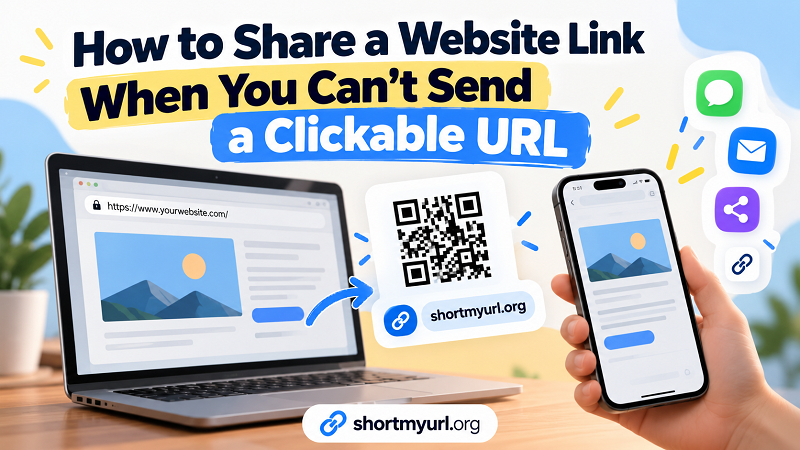
When a Normal Clickable Link Isn't an Option
A clickable hyperlink works beautifully when you're already inside an environment that supports links. Email, messaging apps, websites, social platforms, and documents can all make the process almost effortless. The situation changes when your audience is looking at something rather than interacting with it. A presenter might have a website displayed on a projector. A business owner might have a landing page shown on a digital display. A customer might be standing in front of a printed sign. Someone on a phone call might want to visit a page you're describing. In each case, the website exists, but the path from “I see it” to “I'm there” has friction.
That friction matters more than people think. Every extra step gives someone another opportunity to give up. If accessing your website requires remembering a complicated address, typing a long string of characters, or searching for your brand and hoping the correct page appears, you're asking the visitor to do unnecessary work before they even reach your content.
5 Practical Ways to Share a Website Without a Clickable Link
There isn't one universal solution. The smartest approach depends on where your audience is and what they can do at that moment.
1. Say the URL Out Loud
If the address is short and memorable, simply telling someone the URL can work. A domain such as example.com/menu is reasonably easy to repeat during a conversation. A URL containing multiple folders, numbers, symbols, and tracking parameters is another story entirely.
This method is best for quick conversations and very simple addresses. If you find yourself spelling out every character, you've probably crossed the line from convenient to ridiculous.
2. Put a Short URL on the Screen
A short, readable URL can make a huge difference when people need to type an address manually. This works especially well for presentations, webinars, classrooms, events, and livestreams where viewers can see the screen but cannot click it.
The trick is to make the address easy to recognize and remember. A clean short link can communicate the destination more clearly than a giant URL packed with technical-looking characters. If someone has to pause your presentation just to copy a 150-character address, your link has already become part of the problem.
3. Turn the URL Into a QR Code
When people have their phones nearby, scanning can eliminate the typing problem altogether. Instead of asking visitors to copy characters from a screen, you give them a visual shortcut from the displayed website directly to their phone.
A QR code is particularly useful for presentations, menus, posters, product packaging, event displays, storefronts, and other situations where the audience can see your information but cannot click it. If you want to explore the QR approach, a link to qr code can be a practical starting point.
The important distinction is that a QR code isn't merely a fancy replacement for a URL. It changes the interaction. Someone who sees a website address has to interpret and enter it. Someone who sees a QR code can simply scan and continue. Fewer steps usually means less friction.
4. Share the URL Through a Messaging Channel
Sometimes the easiest solution is not visual at all. If you're communicating with someone through a messaging app, send the actual URL there. The recipient can tap it immediately, save it, forward it, or come back to it later.
This approach is especially useful when you're sharing the website with one person or a small group. It becomes less practical when you're addressing a room full of people or an audience watching a presentation. You don't want thirty people waiting while you individually send the same website.
5. Use Browser or Device Sharing
Modern devices can often move websites between computers, tablets, and phones without requiring you to manually copy the URL. Browser synchronization, nearby sharing features, and other cross-device tools can make this surprisingly painless.
This is a strong option for your own workflow. For example, you might discover something on your laptop and want to continue reading it on your phone while leaving the computer behind. The exact feature depends on the devices and software you're using, but the basic idea is simple: let your devices handle the handoff instead of becoming the human copy-and-paste machine.
Which Method Should You Choose?
Think about the environment before choosing the technology. If you're speaking to someone on the phone and the URL is short, saying it may be perfectly fine. If you're presenting to a room, a short URL on the screen gives people something they can remember, while a QR code makes the process even faster for people with their phones ready. If you're sending a link privately, messaging is usually the obvious choice. If you're moving a page between your own devices, browser or device sharing can save you a lot of unnecessary effort.
The key question isn't simply, “What's the shortest way to share this URL?” A better question is, “What's the easiest way for this particular person to reach the website right now?”
Shorter Isn't Always the Real Goal
It's tempting to think that every link-sharing problem can be solved by making the URL shorter. Sometimes that's exactly right. But length is only one part of the experience.
Imagine two addresses. The first is relatively short but contains random characters that nobody can remember. The second is slightly longer but uses a clear, meaningful phrase. The second one may actually be easier to communicate. Likewise, a QR code may completely outperform both when the visitor is standing in front of a screen with a smartphone in hand.
This is why context matters. A URL designed for clicking doesn't necessarily need the same characteristics as a URL designed to be spoken, remembered, typed, displayed, or scanned. The best sharing method is the one that matches the environment.
Don't Make People Work to Get to Your Website
Every website owner wants more visitors, but the journey to those visitors can quietly become complicated. A person may be interested in your page and still abandon the attempt because getting there feels annoying.
Think about the different levels of effort:
- Click: one tap and you're there.
- Scan: point your phone and open the result.
- Type: manually enter the address.
- Remember: keep the URL in your head long enough to use it later.
- Search: remember enough information to find the website through a search engine.
These aren't equally convenient. When you control how the URL is presented, your job is to choose the path with the least unnecessary effort.
The Simple Rule for Sharing Any Website
There is no prize for making people work harder to reach a website. If your audience can click, give them a clickable link. If they can see your screen but cannot interact with it, give them a simple way to scan or type the address. If they need to remember the URL, make it memorable. If you're communicating privately, send the link directly.
The technology is secondary. The real goal is removing friction between “I want to visit that website” and “I'm on the website.”
Once you start thinking about link sharing this way, the right solution becomes much easier to spot. Sometimes it's a short URL. Sometimes it's a QR code. Sometimes it's a simple message. The best choice isn't the one with the most features—it's the one that gets people where they want to go with the fewest unnecessary steps.