How to Shorten Affiliate Links Without Losing Tracking
Affiliate links aren't exactly famous for their good looks. A single URL can contain a referral ID, campaign parameters, product identifiers, and a collection of tracking values that make it look more like a line of code than something you'd want to share with an audience.
- Why Affiliate Links Contain So Much Information
- Affiliate IDs and Tracking Parameters Aren't Always Interchangeable
- What Actually Changes When You Shorten an Affiliate Link?
- Shortening a Link Is Different From Changing Its Destination
- URL Shortening Is Not the Same as Affiliate Link Cloaking
- A Practical Workflow for Shortening Affiliate Links Safely
- Step 1: Copy the Original Affiliate URL
- Step 2: Confirm That the Link Is Valid
- Step 3: Create the Short Link Without Rebuilding the Affiliate URL
- Step 4: Test the Shortened Link
- Step 5: Verify Affiliate Attribution
- Common Mistakes That Can Cost You Affiliate Credit
- Removing Parameters That Look Unimportant
- Assuming Every Redirect Preserves Attribution
- Ignoring Affiliate Program Restrictions
- Testing Only the Destination Page
- Forgetting to Maintain a Link Inventory
- A Pre-Publication Checklist for Affiliate Links
- The Bottom Line: Test the Tracking, Not Just the Link
That's a problem when you're publishing product recommendations on a blog, sharing deals on social media, or adding links to a newsletter. Long URLs can look messy, take up valuable space, and make it harder for readers to recognize where a link leads. Shortening them seems like an obvious fix.
But here's the catch: an affiliate link isn't just a destination. It's also a tracking mechanism that helps an affiliate program attribute eligible purchases to the right publisher. If you change the wrong part of the URL, use an incompatible redirect, or violate a program's linking rules, you could create tracking problems without realizing it.
The good news? You can often make affiliate links cleaner without sacrificing their tracking functionality. The key is knowing what to preserve, what to test, and which mistakes to avoid.
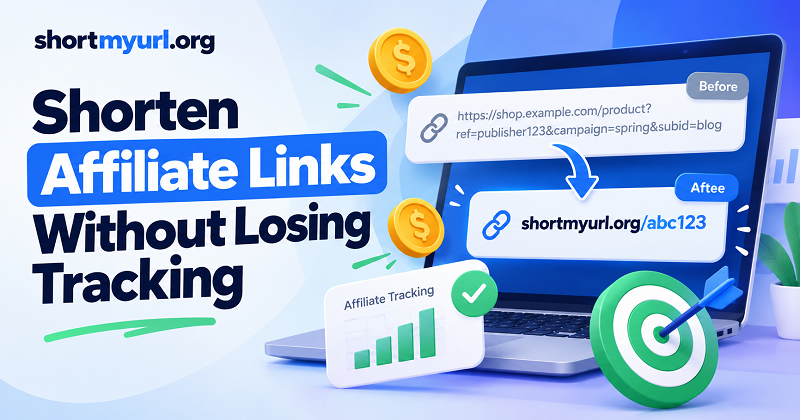
Why Affiliate Links Contain So Much Information
Before shortening an affiliate URL, it helps to understand what makes it work. Many affiliate programs use unique identifiers or tracking parameters to associate clicks and purchases with a particular publisher. Depending on the program, the URL may also contain campaign IDs, product references, sub-IDs, or other attribution data.
Consider this illustrative example:
https://shop.example.com/product?ref=publisher123&campaign=spring&subid=blog
The parameters in this fictional URL serve different purposes:
- ref=publisher123 identifies the referring affiliate.
- campaign=spring labels a campaign.
- subid=blog distinguishes a particular placement or traffic source.
These names are examples, not universal affiliate tracking standards. Actual parameter names and attribution rules vary by network and merchant.
The important distinction is that a long URL may contain information the affiliate system needs to attribute a conversion correctly. Removing a parameter because it looks unnecessary can change the result.
Affiliate IDs and Tracking Parameters Aren't Always Interchangeable
An affiliate ID commonly identifies the publisher or account eligible for referral credit. Additional parameters may help distinguish campaigns, placements, or individual promotional links. Some programs also use cookies, server-side records, or other mechanisms to maintain attribution after a click.
Consequently, preserving the visible affiliate ID is necessary in some cases but may not be sufficient to guarantee that tracking works. The merchant's redirect behavior, attribution window, cookie settings, and program-specific rules can all affect the final outcome.
Your safest move is straightforward: start with the original affiliate URL generated by the official program, and don't manually remove or rewrite its parameters unless the provider's documentation explicitly permits it.
What Actually Changes When You Shorten an Affiliate Link?
A URL shortener typically creates a shorter address that redirects visitors to a destination URL. Instead of sharing the entire affiliate URL, you share the short address, and the visitor is redirected to the intended destination.
For example, a long affiliate URL might become:
https://shortmyurl.org/example
The example above illustrates the format; it is not a claim that this specific short link has been created or tested.
In a typical setup, the original destination URL is associated with the short link. When someone opens it, the shortener redirects the visitor to that destination. If the original affiliate URL remains intact and the redirect chain is compatible with the affiliate program, tracking can continue to work.
However, a short link doesn't magically repair a broken affiliate URL. If the original link contains an incorrect referral ID, has expired, or points to an invalid destination, shortening it won't solve the underlying problem.
Shortening a Link Is Different From Changing Its Destination
This distinction matters more than the URL's appearance.
Shortening creates a more compact address that redirects to an existing destination. Editing the destination changes the URL the visitor ultimately reaches. That edit could be harmless, or it could remove information required by the affiliate program.
For instance, replacing a long affiliate URL with the merchant's plain product URL may still open the correct product page. Yet the referral information could be gone, meaning the visit may no longer qualify for affiliate credit.
A clean-looking link is useful only if it still performs its intended job.
URL Shortening Is Not the Same as Affiliate Link Cloaking
These practices can overlap technically, but affiliate programs may treat them differently.
URL shortening generally focuses on making an address easier to share. Link cloaking can involve presenting a different-looking URL for an underlying destination, sometimes through a branded path or an intermediary page. Certain affiliate networks restrict cloaking, redirects, or specific methods of link presentation.
Don't assume that because a short link works in your browser, it complies with every affiliate program's rules. Check the relevant terms before using a shortener, especially when promoting products through paid advertising, email, or social platforms.
A Practical Workflow for Shortening Affiliate Links Safely
Rather than shortening every link and hoping for the best, use a repeatable process. It takes a little extra care upfront and can save you from troubleshooting a campaign after it goes live.
Step 1: Copy the Original Affiliate URL
Generate your affiliate link through the merchant's official dashboard or affiliate network. Copy the complete URL exactly as provided, including any required query parameters.
If the program offers a link-generation tool, use it instead of constructing tracking parameters yourself. Some links contain encoded values or tokens that are not meant to be edited manually.
Keep a copy of the original URL in a spreadsheet or campaign document. Record the merchant, product, campaign, intended placement, and date you created the link. This gives you a reference point if the shortened version behaves unexpectedly.
Step 2: Confirm That the Link Is Valid
Open the original affiliate URL in a suitable test environment and check that it reaches the intended merchant or product page. Look for obvious issues such as an error page, an unavailable product, a login requirement, or an unexpected destination.
Where possible, inspect the destination URL after redirects. This can help you determine whether required parameters are retained, transformed, or consumed during the merchant's own redirect process.
Be careful when interpreting the result. Some affiliate systems deliberately remove tracking parameters from the address bar after recording the click. Their disappearance from the final visible URL doesn't automatically mean attribution has failed.
Step 3: Create the Short Link Without Rebuilding the Affiliate URL
Choose a shortener that lets you use the complete original affiliate URL as the destination. A straightforward option is a link shortener free tool that lets you create a shareable URL without manually reconstructing the merchant's tracking parameters.
Paste the full affiliate URL into the destination field. Check that the entire address has been included, particularly if it contains a long query string. Then create the short link and save both versions.
If the shortener supports custom aliases, use a descriptive label that helps you recognize the link later. For example, an alias might identify a product or campaign rather than use an unrelated string. Avoid placing private information, customer details, or sensitive campaign data in a publicly visible alias.
Step 4: Test the Shortened Link
Open the newly created short link in a separate browser session or another suitable test environment. Confirm that it redirects to the expected destination and that the merchant's page loads correctly.
Check the redirect path when possible. A short link may pass through more than one redirect before reaching the final page, and each additional step introduces another place where something could go wrong.
Pay attention to these details:
- The short link opens without an unexpected error.
- The visitor reaches the correct merchant and product.
- Required affiliate identifiers are handled as expected by the program.
- The link works on the devices and platforms where you intend to share it.
- The final destination is secure and matches the promotion you're publishing.
A successful redirect confirms that navigation works. It does not, by itself, prove that a sale will be attributed to you.
Step 5: Verify Affiliate Attribution
This is the step that separates a link that merely opens from one that does its job.
Use the affiliate program's official testing instructions, reporting tools, or permitted test-conversion process to verify tracking. Depending on the provider, you may be able to see recorded clicks, sub-ID reports, test transactions, or other attribution signals.
Avoid making purchases through your own affiliate link unless the program explicitly permits that activity. Self-referrals and artificial clicks can violate program rules or distort reporting.
If the original affiliate link tracks correctly but the shortened version doesn't, compare the two redirect paths and review the shortener's behavior. If neither version tracks correctly, investigate the original link, program settings, and merchant-side attribution before blaming the shortener.
Common Mistakes That Can Cost You Affiliate Credit
Most affiliate tracking problems aren't caused by the mere existence of a shorter URL. They're more often associated with incorrect destinations, incompatible redirect behavior, program restrictions, or inadequate testing.
Removing Parameters That Look Unimportant
A query parameter might look like an optional tag, but its purpose isn't always obvious from its name. Removing it can interfere with campaign reporting or referral attribution.
Keep the original URL intact unless official documentation tells you which components can safely be removed.
Assuming Every Redirect Preserves Attribution
Redirects can pass visitors through different systems before they reach a merchant. Whether attribution survives depends on the affiliate implementation and how those systems handle tracking.
Avoid making blanket assumptions about cookies, browser privacy settings, cross-domain navigation, or redirect status codes. When a program publishes technical requirements, use those as your reference.
Ignoring Affiliate Program Restrictions
Some programs specify which link formats, promotional channels, or redirect methods publishers may use. Others require official tracking links or impose restrictions on cloaking and paid traffic.
Read the current terms for each program you participate in. If the rules are unclear, ask the affiliate manager or support team before rolling out shortened links across a large campaign.
Testing Only the Destination Page
A product page loading successfully is not the same as a tracked referral being recorded. A broken attribution flow can remain invisible until you review affiliate reports or discover that expected conversions are missing.
Test the navigation path and verify tracking separately. Treat them as two different checks.
Forgetting to Maintain a Link Inventory
When you publish dozens or hundreds of affiliate links, it's easy to lose track of which short URL points to which product or campaign. That becomes a problem when products change, promotions end, or a merchant updates its landing pages.
Maintain a simple inventory with the original URL, shortened URL, merchant, placement, and current status. Periodically review links that generate traffic, especially those used in evergreen content.
A Pre-Publication Checklist for Affiliate Links
Before adding a shortened affiliate link to your website, newsletter, or social media post, run through this checklist:
The original URL came from the official affiliate program.
The complete affiliate URL was copied without unintended edits.
The destination matches the product or offer being promoted.
The shortened link redirects to the intended destination.
Required tracking information is handled correctly.
Affiliate attribution has been checked using an approved method where available.
The chosen link format complies with the program's current rules.
The link has been recorded so it can be maintained later.
Any required affiliate disclosure is included near the recommendation.
That final point deserves attention. Shortening a link doesn't remove your responsibility to disclose an affiliate relationship. Follow the disclosure requirements applicable to your audience, platform, and jurisdiction.
The Bottom Line: Test the Tracking, Not Just the Link
Shortening affiliate URLs can make your content cleaner and easier to share, but the real goal isn't simply to turn a long address into a short one. It's to improve the reader's experience while preserving the referral process that makes affiliate marketing work.
Start with the official affiliate URL, keep its required information intact, create the shortened version, and test both navigation and attribution. Follow the merchant's rules, maintain a record of important links, and investigate discrepancies before scaling a campaign.
A short link should make your workflow simpler—not introduce a mystery about where your commissions went.